

Fan Growth
ConvertKit vs Mailchimp: Keep Your Fan List Free up to 10,000
Compare ConvertKit and Mailchimp for musicians. Which offers a free list up to 10,000, native paid newsletters, or better store integration?
By DRVVYN · · 16 min read

ConvertKit (Kit) is the stronger pick for creators who write newsletters, sell digital products, and want fans to feel a direct connection. Mailchimp fits small businesses that need email, ads, and analytics working together in one dashboard. The deciding factors come down to free plan generosity and built-in monetization versus automation depth and multi-channel reach. What follows breaks down every feature that actually moves that decision.
TL;DR:
- ConvertKit’s free plan supports up to 10,000 subscribers with unlimited sends, making it cost-effective for growing creator lists, unlike Mailchimp’s tiered pricing.
- ConvertKit excels with simpler, text-focused emails that display reliably on mobile, while Mailchimp offers richer, customizable templates better suited for visual campaigns.
- Mailchimp provides more advanced automation tools, including AI-powered flows and multichannel options, whereas ConvertKit is best for straightforward, high-intent sequences like welcome or purchase follow-ups.
- For list management, ConvertKit uses tags within a single master list, reducing duplicates and billing issues, while Mailchimp’s multiple audiences can complicate contact organization and costs.
- ConvertKit’s native monetization features suit creators selling digital products or paid newsletters, whereas Mailchimp’s integrations are better for eCommerce and physical inventory management.
ConvertKit vs Mailchimp at a Glance
Both platforms send email well. Where they split apart is who they’re built for and what they assume you’ll do with your list once it grows.
| Dimension | ConvertKit (Kit) | Mailchimp |
|---|---|---|
| Best for | Solo creators, newsletter writers, digital-product sellers | Small businesses, eCommerce stores, teams needing multi-channel marketing |
| Pricing & free limits | Free up to 10,000 subscribers, unlimited sends | Free plan capped lower, paid tiers scale by contact count |
| Ease of use | Text-first editor, minimal setup | Drag-and-drop builder, more configuration |
| Automation power | Visual canvas for sequences, tag triggers | Multi-step journeys, branching logic, AI flow assists |
| Templates & design | Fewer templates, content-focused | Larger template library, heavier visual design |
| List management & segmentation | Single list, tag-based segmentation | Audience/list model with segments |
| Landing pages & forms | Fast, creator-oriented opt-in pages | More customizable, supports A/B testing |
| eCommerce & monetization | Native paid newsletters, digital product delivery | eCommerce integrations, abandoned cart flows |
| Integrations | Kit App Store, targeted creator tools | Larger integration directory, built-in ads/social |
| Analytics & deliverability | Insights Dashboard on Creator Pro | Custom reports, anomaly detection at mid tier and up |
| Support | Email and community support | Email, chat, and phone on higher tiers |
The pattern holds across most reviews: ConvertKit is creator-focused with a generous free plan and native monetization features, while Mailchimp is a broader marketing suite with stronger automation and analytics. If you’re building a fan base around a newsletter, ConvertKit’s simplicity pays off. If you’re running a store or managing multiple channels, Mailchimp’s depth starts to matter more than its complexity costs you.
How Do the Email Editors and Templates Compare?
ConvertKit’s editor reads like a document, not a design tool. You type, format text, drop in a button or image, and send. There’s no drag-and-drop grid to fight with, which is exactly the point for anyone writing newsletter-style updates.
Mailchimp goes the opposite direction, which can be smoother when managing contributors on a digital wall for collaborative newsletter or multi-author projects. Mailchimp offers a larger template library and a visual drag-and-drop editor, giving you dozens of pre-built layouts for promotions, product launches, and seasonal campaigns. That flexibility comes with a tradeoff: more blocks, images, and nested sections mean more testing before you hit send, since heavier templates render less predictably across email clients and can quietly hurt deliverability if they’re not cleaned up.
Here’s how that plays out in practice:
- A singer-songwriter sending a weekly reflection on new music leans on ConvertKit’s clean, text-first layout because the words carry the message.
- A merch-driven artist running a flash sale benefits from Mailchimp’s visual templates, which showcase product photos and countdown timers.
- A podcast host publishing show notes each week fits ConvertKit’s format almost exactly. It’s built for that rhythm.
- A boutique label promoting a multi-artist compilation release benefits from Mailchimp’s design flexibility to feature several acts in one email.
Mobile rendering favors simpler layouts overall. ConvertKit’s stripped-down emails tend to display cleanly on any device without extra work. Mailchimp’s richer designs look sharper on desktop but need more attention to hold up on a phone screen, where most fans actually read their inbox.
Which Platform Automates Better?
Automation is where the two platforms diverge the most. Mailchimp offers AI-powered automation flows, SMS marketing add-ons, and mid-tier access to advanced analytics and custom reports, letting you build branching journeys that react to browsing behavior, purchase history, or campaign engagement. An eCommerce brand can trigger an abandoned cart sequence, follow it with a discount offer, then branch again based on whether the customer bought.
ConvertKit takes a narrower, creator-specific approach. Its visual automation canvas handles sequences, tag-based triggers, and purchase-based flows without asking you to think like a marketing ops manager. A musician can automatically tag anyone who buys a deluxe album edition, then drop them into a sequence offering early access to tour dates.
- Mailchimp fits complex, multi-channel journeys: cart abandonment, win-back campaigns, behavioral branching tied to website activity.
- ConvertKit fits simpler, high-intent flows: welcome sequences, tag-based segmentation after a purchase, automated delivery of a digital product.
- Complexity earns its keep when you have enough volume and enough distinct customer paths to justify building and maintaining branching logic.
- Simple flows win when your priority is getting a new subscriber to open your next three emails, not mapping every possible customer journey.
Mailchimp’s AI features can speed up setup and suggest flows, but the output often needs human editing to match your voice rather than working as a finished draft. Treat it as a starting point, not a ghostwriter.
Pro Tip:Before scaling any automation, run it on a small segment of 20 to 50 subscribers first. Watch open and click rates for a few days. A flow that looks smart on paper can quietly annoy your most engaged fans if the timing or tone is off.
Do Tags or Audiences Matter More for Your List?
ConvertKit runs on a single master list with tags layered on top. Every subscriber lives in one place, tagged by behavior, purchase, or interest. ConvertKit’s model uses a single master list with tags rather than Mailchimp’s audience/list model, which reduces duplicate billing and simplifies subscriber history. If someone signs up through three different landing pages, they’re still one subscriber, one profile, one bill.
Mailchimp organizes contacts into separate audiences or lists. That structure works well when you genuinely need to keep groups walled off, say, a record label managing separate rosters. The catch: Mailchimp’s audience model can duplicate contacts across audiences and affect billing if the same person ends up on more than one list.
- ConvertKit’s tag model gives you one holistic view of each subscriber’s full history, no matter how many forms they filled out.
- Mailchimp’s audience model suits businesses running genuinely separate lists for different brands, products, or regions.
- Both platforms support standard authentication protocols, including SPF, DKIM, and DMARC, to protect deliverability.
- Mailchimp offers more built-in deliverability monitoring and recommendations at higher tiers, useful if you’re sending high volume.
Migrating between the two models takes planning. Moving from Mailchimp’s audiences into ConvertKit’s tags means consolidating duplicate contacts first, or you’ll import the same person twice under different tags.
Which Platform Captures More Subscribers?
Landing pages and opt-in forms are the front door to your list, and both platforms handle the basics well, just with different priorities.
ConvertKit’s landing pages come from templates built specifically for creators: a simple “join my newsletter” page, a lead magnet download, a pre-order form for a new single. They’re fast to launch and don’t require design skill.
Mailchimp’s landing pages and pop-ups offer more customization, deeper targeting rules, and built-in A/B testing to compare headlines or images against each other. That extra control is worth the setup time if you’re running paid traffic to a page and need to optimize conversion rate.
- For a merch table at a live show, a quick QR code linking to a ConvertKit form gets fans signed up before the next song starts.
- For a course launch with paid ad traffic behind it, Mailchimp’s A/B testing helps justify the ad spend by squeezing more signups from the same clicks.
- For a single-song pre-save campaign, ConvertKit’s simple form-to-tag workflow keeps the setup lightweight and the follow-up automated.
If you’re capturing emails in the moment, at a show, a pop-up, a merch table, simplicity wins. If you’re running a sustained ad campaign and need to test what converts, Mailchimp’s extra controls earn their complexity.
How Do Monetization and eCommerce Features Compare?
This is where ConvertKit’s creator-first design shows up most clearly. ConvertKit offers built-in features like paid newsletters, sponsor networks, and digital product delivery that connect directly with Stripe, meaning a musician can sell a paid subscription tier, deliver a digital download, or line up a sponsor for their newsletter without touching a separate storefront platform.
Mailchimp takes the integration route instead. It connects to Shopify, WooCommerce, and other storefront platforms to power abandoned cart emails, product recommendation flows, and purchase-triggered automations. SMS marketing is available as an add-on for stores that want to reach customers beyond the inbox.
- A solo artist selling a monthly “studio access” newsletter tier fits ConvertKit’s native paid newsletter tools almost perfectly.
- An independent label selling vinyl, hoodies, and box sets with real inventory benefits more from Mailchimp’s storefront integrations and cart recovery flows.
- A producer selling downloadable sample packs can use ConvertKit’s digital delivery without adding a separate eCommerce plugin.
The scenario mapping is straightforward: sell access, content, or a subscription, and ConvertKit’s native tools do the job without extra plumbing. Sell physical inventory with SKUs, shipping, and returns, and Mailchimp’s integration depth becomes the more practical foundation.
Which Has Better Integrations and Developer Tools?
Mailchimp’s integration directory is larger and includes built-in advertising and social scheduling tools, which cuts down on the number of separate apps you need to manage a full marketing stack.
ConvertKit takes a narrower, more curated approach through the Kit App Store, focusing on tools creators actually reach for: course platforms, membership sites, and creator-economy apps rather than a sprawling general-purpose directory.
- Mailchimp’s broader directory reduces tool sprawl for businesses juggling ads, social, and email in one place.
- ConvertKit’s targeted integrations serve creators who don’t need a general marketing suite, just the handful of tools tied to their actual workflow.
- Both platforms expose APIs for custom builds; reach for a custom integration only when an off-the-shelf connector genuinely can’t handle your specific workflow, since maintaining custom code adds ongoing overhead most solo creators don’t need.
What Do the Analytics and Reports Actually Tell You?
Mailchimp embeds analytics and anomaly-detection features and exposes more custom reporting at mid and high tiers, flagging underperforming campaigns and suggesting adjustments automatically. That’s genuinely useful once you’re running enough campaigns that manual review starts eating real time.
ConvertKit’s deeper analytics live behind its Creator Pro tier, where the Insights Dashboard shows subscriber growth, engagement trends, and revenue tied to specific emails or sequences.
Richer analytics earn their complexity when you’re making decisions with real budget behind them, optimizing ad spend, deciding whether a paid tier is worth expanding, or figuring out which lead magnet actually converts. If you’re just trying to build a habit of consistent sending, basic open and click rates tell you almost everything you need for now.
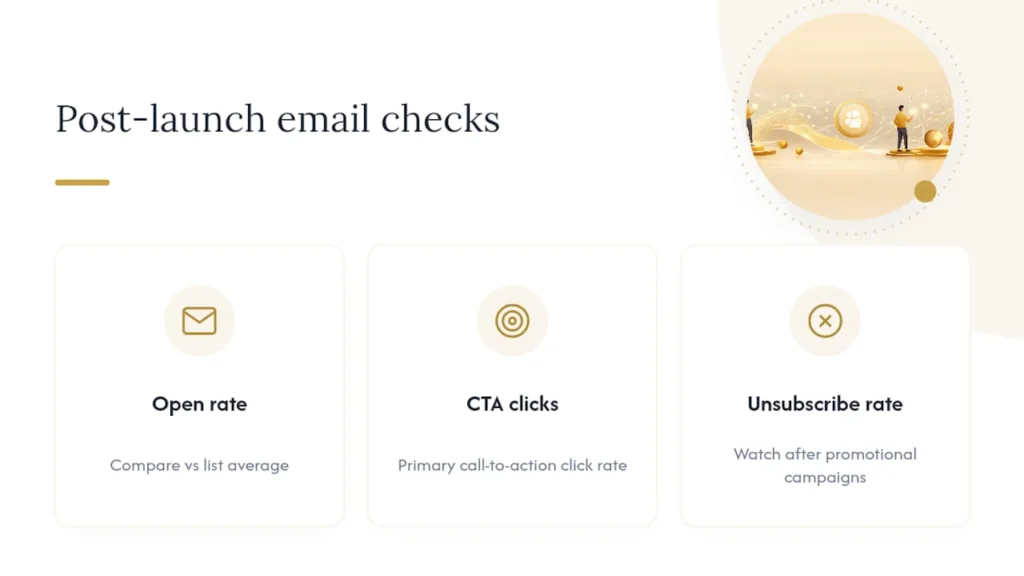
After launch, watch three numbers first: open rate against your list average, click rate on your primary call to action, and unsubscribe rate on any campaign that felt more promotional than usual. Those three catch most problems before they become expensive ones.
What Does ConvertKit vs Mailchimp Actually Cost?
Pricing is where list size changes the math entirely. At small contact counts, Mailchimp’s entry-level paid plans often come in cheaper. As lists grow, that advantage reverses.
Pricing comparisons show Mailchimp can be cheaper for very small lists but becomes more expensive as contacts scale, while ConvertKit’s free plan and unlimited sends favor larger creator lists. If you’re just starting out with a few hundred subscribers, the cost difference barely matters. Once you cross into the thousands, the gap becomes real money.
- ConvertKit’s free plan supports up to 10,000 subscribers with unlimited sends, a rare combination among free email tiers.
- Mailchimp’s send limits and contact-based billing mean costs can climb faster once you’re actively campaigning to a large list.
- Duplicate contacts across multiple Mailchimp audiences can inflate your bill without you realizing it, a problem ConvertKit’s single-list model avoids by design.
- If you’re migrating a list of several thousand contacts, budget time to deduplicate before you import. It affects both your bill and your sender reputation.
Billing philosophy matters as much as the sticker price. ConvertKit’s “unlimited sends” model rewards creators who email frequently. Mailchimp’s structure fits businesses running fewer, more targeted campaigns rather than a weekly newsletter habit.
Which Platform Should You Actually Choose?
Match your core need to the platform built for it, not the one with the longer feature list.
- If your priority is creator monetization, paid newsletters, digital downloads, direct fan support, choose ConvertKit.
- If your priority is a multi-channel marketing stack spanning email, ads, and social, choose Mailchimp.
- If you’re running an online store with physical inventory and need cart recovery automations, choose Mailchimp.
- If you’re managing a small creative team that needs shared workflows without a steep learning curve, ConvertKit’s simpler structure usually wins.
Migrating between platforms means exporting your list, cleaning duplicates first, and mapping Mailchimp’s audiences to ConvertKit’s tags (or vice versa) before you import anything. Watch for a few red flags before committing to either: pricing that jumps sharply at your next size tier, a feature you rely on today that’s locked behind a higher plan, or automation you’ve built that doesn’t have a clean equivalent on the other platform.
Pro Tip:Run both platforms on a free trial with a small test segment for two to three weeks before migrating your full list. Send the same type of campaign on each and compare open rates, setup time, and how much the automation builder actually fits how you think.
What Do Real Users Say About Each Platform?
Reputation across independent reviews leans toward “it depends” rather than a clean winner. Multiple respected comparison reviews conclude the correct choice depends on whether you prioritize a creator-native monetization workflow or an all-in-one marketing suite, and that framing shows up consistently across independent testing.
Creators tend to praise ConvertKit for its simplicity and how quickly they can get a newsletter or automated sequence running without a steep learning curve. The most common complaint is a smaller template library and less visual polish than tools built for design-heavy campaigns.
Small business owners and eCommerce teams generally point to Mailchimp’s breadth, the ability to run email, ads, and social scheduling from one dashboard, as the reason they stick with it despite a more complex interface. Common frustrations center on pricing that climbs quickly as contact lists grow, and a learning curve steep enough that some features go unused.
Neither platform draws serious complaints about reliability or uptime in independent coverage. The friction, when it shows up, is almost always about fit: a creator outgrowing Mailchimp’s marketing-suite complexity, or a small business finding ConvertKit’s monetization tools narrower than what a multi-product store actually needs.
What Are the Trial and Refund Terms?
Both platforms let you test the waters before paying, though the structure differs. ConvertKit’s free plan itself functions as an extended trial, since it supports up to 10,000 subscribers with unlimited sends before you’d ever need to upgrade to a paid tier. That’s long enough for most creators to fully test the automation builder, tagging system, and landing pages before spending anything.
Mailchimp offers a free plan as well, capped at lower limits, plus paid-tier trials that let you sample advanced automation and reporting features for a limited window.
Refund policies on both platforms are generally handled case by case through support rather than an automatic guarantee, so if you’re switching plans or canceling shortly after an upgrade, contact support directly rather than assuming a blanket refund window applies. Check each platform’s current billing terms before upgrading, since specifics can shift between plan tiers and change over time.
DRVVYN Sound’s Take on Email for Musicians
Every fan who joins a mailing list is choosing to hear from you directly, outside an algorithm’s mood that day. That’s worth more than most artists treat it.
Apply the platform breakdown above to your actual releases and the choice gets simpler. Announcing a mix release or a new single works well as a straightforward newsletter, exactly the format ConvertKit’s text-first editor handles best. A merch drop with product photos and a countdown benefits from Mailchimp’s visual templates and A/B testing. A paid tier offering early access or behind-the-scenes content leans on ConvertKit’s native monetization tools, the same features covered in the eCommerce and monetization comparison above.
Three moves worth making this week: tag every subscriber by how they found you (show, merch table, social link) so your next campaign can speak to them specifically. Send one email that asks nothing of the reader, just a genuine update, before you ever ask them to buy something. And build one automated welcome sequence now, even three emails, so new fans hear from you before they forget why they signed up.
An email list you own outlasts any platform’s algorithm change. Building one on purpose, not as an afterthought to social media, is the single highest-leverage habit an independent artist can start today.
— DRVVYN Sound
A Different Route: Licensing Instead of DIY Email Marketing
Choosing between ConvertKit and Mailchimp solves how you’ll reach the fans and clients you already have. It doesn’t solve where original music and cinematic content come from in the first place. That’s a separate need, and it’s the one DRVVYN Sound actually addresses.
If you’re a brand, media company, or creator who needs original alternative R&B tracks, cinematic visuals, or curated mood-driven content rather than building an email funnel from scratch, DRVVYN Sound’s licensing services offer a direct path to usable, emotionally grounded music for commercial projects. Instead of managing a newsletter platform, you get access to finished work built around storytelling and connection, without hiring a full production team or negotiating with multiple parties.
Browse the licensing page to see current terms and reach out about a project.
Sources
The comparisons above draw on independent testing rather than vendor marketing alone. Zapier’s Kit vs. Mailchimp comparison covers feature-by-feature testing across automation, analytics, and monetization. EmailToolTester’s pricing breakdown supports the cost-scaling figures cited in the pricing section. Gravity Forms’ full comparison backs the template and reputation analysis, and Minerva Techno’s 2026 comparison informed the list management and tag-versus-audience discussion.
- Kit vs. Mailchimp: Which is best? 2026 · Zapier
- Kit vs Mailchimp (2026): Fight of the Fan Favorites · EmailToolTester
- Kit (ConvertKit) vs Mailchimp: Full and Honest Comparison · Gravity Forms
FAQ
What Is Mailchimp’s Biggest Competitor?
ConvertKit is widely considered Mailchimp’s closest competitor in the creator space, though the two serve different priorities. ConvertKit focuses on creator monetization and a generous free plan, while Mailchimp emphasizes multi-channel marketing and deeper automation, so the “competition” is really about which use case matches your business.
What Are ConvertKit’s Main Competitors?
Beyond Mailchimp, ConvertKit competes with other creator-focused email tools built around newsletters and digital monetization. Its core differentiator remains native paid newsletters and creator monetization features that most general marketing platforms don’t build in directly.
Is There a Better Alternative to Mailchimp?
“Better” depends entirely on your use case. For creators focused on newsletters and direct fan monetization, ConvertKit is often the stronger fit. For small businesses running eCommerce or multi-channel campaigns, Mailchimp’s broader feature set typically outperforms creator-first tools.
Is ConvertKit or Mailchimp Better for Musicians?
For most independent musicians, ConvertKit’s free plan and native monetization tools make it the more practical starting point. ConvertKit’s free plan supports up to 10,000 subscribers with unlimited sends, which covers the needs of most artists building a fan list without immediately paying for software.
How Do I Migrate My List Between the Two Platforms?
Export your current list, deduplicate any contacts appearing across multiple Mailchimp audiences, and map those audiences to ConvertKit’s tag system before importing. Doing this cleanup first prevents billing surprises and keeps your subscriber history intact after the switch.