

Music Marketing
SEO for Musicians: 5 Quick Wins for Metadata, Search, and AI
Help listeners and AI tools find your music with consistent metadata, structured facts, stronger profiles, and practical SEO for your next release.
By DRVVYN · · 16 min read

The single highest-leverage move you can make right now is making your metadata consistent everywhere and turning your own website into the canonical home for the facts about your music. Start by matching your artist name, genre tags, and bio word for word across platforms, then use Schema to describe your releases in a language search engines and AI tools can read directly. Claim what you can claim, verify what you can verify, and build outward from there.
TL;DR:
- Mark up release pages with MusicGroup, MusicAlbum, and MusicRecording schema, including dates, track lists, durations, credits, and streaming links, so search tools can extract facts.
- Claim Spotify for Artists and Apple Music for Artists, complete profile fields, and match distributor genre tags to your bio’s language across platforms.
- YouTube ignores hashtags after the sixtieth; title and description relevance and early watch time also shape recommendations, so avoid irrelevant tags.
- Create separate pages for lyrics, mood based discovery, and each live show; keep dates, venues, addresses, and ticket links current for local searches.
- Ask blogs and playlist curators to link to your official release page, not a smart link; that coverage can strengthen your own domain.
Quick Wins: A Checklist You Can Finish This Week
Some quick fixes can move the needle more than months of guessing ever could. Before you touch anything else, work through these:
- Standardize your artist name’s spelling, capitalization, and punctuation everywhere it appears, from Instagram to Apple Music to your own domain.
- Fill out every profile field on Spotify, Apple Music, and YouTube, and confirm with your distributor that genre and mood tags actually match what you wrote in your bio.
- Pick one YouTube video, rewrite its title, rebuild the opening of its description, and design a thumbnail that reads clearly at phone size.
- Search your own name and claim any artist profile or knowledge panel that search engines already recognize.
- Add a title tag, a meta description, and a basic MusicRecording schema snippet to the page for your most recent release.
None of this requires a developer or a marketing budget. It requires some focused time and the discipline to make the same facts say the same thing everywhere a listener or a crawler might find them.
Pro Tip:Keep a single document with your exact artist name, genre, subgenre, and one-paragraph bio, and paste from that document every time you update a profile so nothing drifts out of sync.
How to Build Your Website Into a Music Discovery Hub
A streaming profile can disappear behind a platform redesign. A social account can get buried by an algorithm change you didn’t ask for. Your own website is the one place you control completely, and it becomes the long-term anchor that search engines and AI tools return to when they need to verify who you are.
Build it with a handful of purposeful page types rather than a single catchall homepage:
- An artist bio page that states your name, genre, and story in plain, consistent language.
- A discography page listing every release with dates, tracklists, and collaborators.
- Individual track or release pages with credits, lyrics where relevant, and streaming links.
- A press or press kit page that collects mentions, quotes, and media assets in one place.
On each page, keep the on-page basics tight: a clear H1 that names the artist or release, a concise title tag, a meta description that states what the page actually offers, a clean URL without tracking clutter, and a canonical tag so search engines don’t split ranking signals between duplicate versions of the same release page.
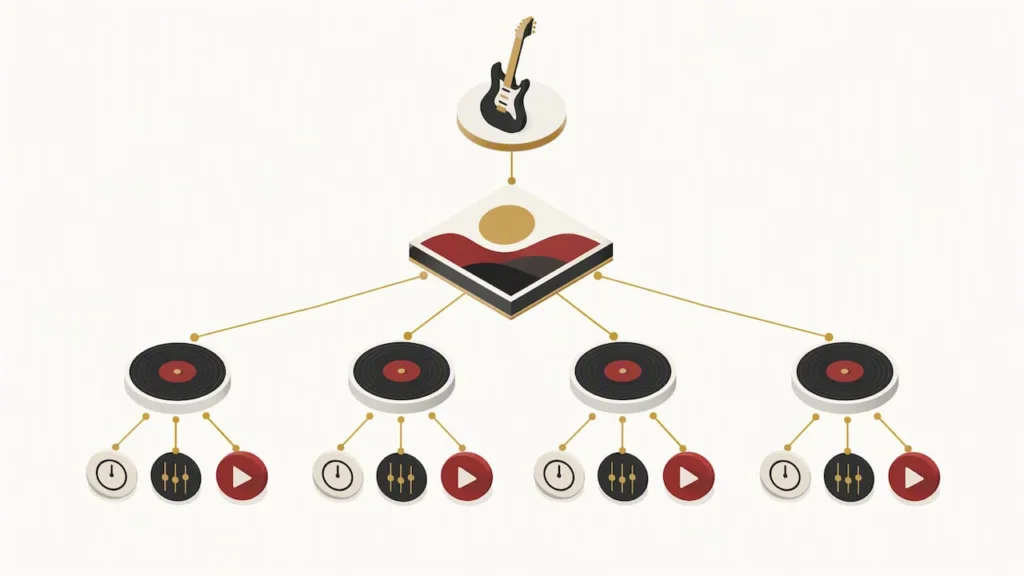
Then go a layer deeper with structured data. Adding MusicGroup, MusicAlbum, and MusicRecording schema to your release pages gives machines a reliable way to extract facts like your name, your album’s track list, and each song’s duration and credits, rather than guessing at them from unstructured text. A well-built discography page should read as plainly to a crawler as it does to a fan: release date, full tracklist, featured collaborators, and links to stream, all marked up so the facts are extractable rather than buried in a paragraph. Schema.org’s MusicGroup type defines exactly which properties, including byArtist, track, and interactionStatistic, support this. This is the groundwork that lets AI tools and search engines synthesize accurate information about you instead of piecing together guesses from scattered sources, a dynamic covered in depth in our music SEO keyword guide for independent artists.
Optimizing Your Artist Profiles on Spotify, Apple Music, and Beyond
Treat Spotify and Apple Music the way you’d treat a search engine, because that’s functionally what they are. Search Engine Land’s reporting on platform optimization notes that in 2026, artist bios, genre tags, and track descriptions directly shape whether recommendation systems surface your music at all, and the artists who do best write metadata in natural, descriptive language, the way a real fan would describe the sound rather than the way a press release would.
A few concrete moves make the difference here:
- Choose the most specific genre and subgenre available rather than settling for a broad catch-all, and fill in mood, tempo, or instrumentation fields whenever the platform offers them.
- Write your artist bio the way a fan would search, naming your influences, your sound, and the themes that run through your work instead of vague adjectives.
- Confirm with your distributor that the genre and subgenre tags they send to each platform actually match the language in your bio. A mismatch here quietly undercuts everything else.
- Claim Spotify for Artists and Apple Music for Artists, then use every customization option available, from pinned tracks to artist pick features.
- Treat playlist placements and third-party posts as signals, not just traffic. Every time a curator or blog mentions you, that mention becomes a data point platforms and AI tools can use to confirm who you are and what you sound like.
For a closer look at how these pieces connect, our guide to streaming music discovery walks through the mechanics in more detail, and tools like Playlist Pilot’s Spotify profile guide offer practical, platform-specific steps for the submission side of the process.
YouTube SEO: Titles, Descriptions, Tags, and Thumbnails That Work
YouTube is often a musician’s second-biggest discovery engine after streaming, and it rewards specific, methodical optimization far more than volume.
- Write your title as “Artist Name, Track Name (Official Music Video),” and add a modifier like “lyric” or “live” only when it accurately describes the content.
- Front-load the first 150 characters of your description with your artist name, track name, and the keywords that actually matter, since YouTube weighs that opening text heavily when matching videos to search queries.
- Add relevant tags covering your artist name, genre, and mood. YouTube ignores hashtags past the sixtieth one on a video, so more is not better here, and over-tagging can read as manipulative rather than helpful.
- Build a thumbnail with high contrast and a clear focal point, then structure the opening to deliver on whatever the thumbnail and title promise, since early watch time strongly influences whether YouTube keeps recommending the video.
- Organize related videos into playlists, add timestamps for longer content, and use cards to point viewers toward your next video, all of which extend session time.
YouTube’s own documentation on how search works confirms that relevance signals (title, tags, description match) work alongside engagement and quality signals to determine whether your channel demonstrates the kind of consistency that earns ongoing recommendations. Our breakdown of how YouTube Music supports artist discovery goes further into how these signals interact with the platform’s separate music app.
Pro Tip:Upload your video unlisted first, test your thumbnail and title against a few trusted listeners, then switch to public once you’re confident both are pulling their weight.
Keyword Research and Content That Actually Gets Musicians Found
Not every search is the same kind of search, and treating them that way wastes effort. Fans look for you in several ways: by name, by a lyric or song title they half remember, by mood or activity (“sad R&B for late nights”), and through longer, more specific discovery phrases that signal real intent to find new music.
Match content to each type rather than writing one generic page and hoping:
- Lyric searches deserve a dedicated lyrics page for the song in question, since fans frequently search the exact words they remember.
- Mood and activity searches respond well to playlist pages or blog posts built around a feeling or a moment, not just a genre label.
- Event-driven searches need a live show page with date, venue, and ticket information kept current.
- Long-tail discovery queries reward behind-the-scenes posts and process content that a casual search wouldn’t surface, but an engaged listener searching deeper would.
Structure your URLs and title tags around the specific track or album name rather than generic labels, so a page about your song reads as being about that song to both humans and crawlers.
SEO compounds slowly. Consistent publishing of real, canonical content outperforms any single clever trick, and that holds true at any stage of your release journey. Write in your own voice first, and let the natural phrases a fan would actually type find their way in organically rather than stuffing keywords in after the fact. Our music SEO keyword guide for independent artists maps out keyword types and content formats in more detail if you want to build this out page by page.
Outreach, Playlists, and Press: Earning the Signals AI Tools Trust
Independent playlists and music blogs matter more than their traffic numbers suggest, because they function as factual, third-party pages that AI tools and search engines use to verify who you are and what you sound like.
- Build a short target list of genre-specific blogs, local press, and independent curators whose audience actually overlaps with yours.
- Pitch with a specific angle rather than a generic press release, something about the release, the story, or the sound that gives the writer a reason to cover it.
- Follow up once, politely, after a reasonable window, rather than repeating the same pitch across multiple contacts.
- Ask every blog or curator who agrees to cover you to link directly to your official website rather than a smart-link landing page, since a direct link to your domain consolidates SEO value in one place instead of scattering it.
Measure what results from this by tracking referral traffic, playlist follower growth, and the number of press mentions you accumulate over time. Our Spotify playlist discovery tips cover pitching playlists specifically, and outlets like HotMicRadio’s guide to online radio for artists offer another concrete channel worth adding to your target list.
Minimal Technical SEO: Verification, Indexing, and Site Hygiene
You don’t need to be technical to handle this part, just thorough.
- Set up Google Search Console and check that your release and artist pages are actually indexed, not just published.
- Use canonical tags on any release that has multiple URL versions, so crawlers don’t split your ranking signal across duplicates.
- Claim knowledge panels and artist verifications wherever they’re offered, since an unclaimed panel is one less fact you control.
- Run a basic mobile and page speed check, since most fans will meet your music on a phone, and a slow or broken mobile page costs you discovery before a single song plays.
What the Evidence Says About Metadata and AI Discovery
Platform recommender systems and AI-driven search tools depend on consistent metadata and verifiable third-party pages to generate accurate recommendations, not just scraped guesses. Independent reporting on musician SEO points to the same conclusion from a different angle: getting your metadata right, your artist name, genre tags, track titles, and descriptions, is the single most impactful action available, because the same metadata feeds Google, Spotify, YouTube, Apple Music, and AI tools simultaneously. Standardized schema markup and consistent bios give these systems something solid to cite. The practical takeaway holds steady across every platform: structure your facts clearly, keep them consistent, and ask every third party who mentions you to link straight to the source.
Local SEO for Musicians: Venues, Gigs, and Hometown Fans
Local discovery runs on a different rhythm than streaming algorithms, and it’s often the fastest way to fill a room. Create a dedicated page for each upcoming show listing the venue name, full address, date, and ticket link, and keep it current rather than archiving old dates into the same page.
Claim and complete a Google Business Profile if you perform regularly in one area, since this is often what surfaces when someone searches your name alongside a city. Partner with venues that already rank well locally and ask them to link to your official show page rather than a generic social post, which feeds the same domain authority benefit covered earlier.
Local fan engagement compounds this. Encourage attendees to tag your official handle and location at shows, since location-tagged posts and local mentions build the kind of geographic relevance that search engines use to connect your name with a place. None of this replaces streaming optimization, but it captures searches a streaming profile alone never will, the ones that start with “live music near me” or a venue name rather than your own.
Using Social Media SEO to Boost Discoverability
Social platforms increasingly function as search engines in their own right, and the same metadata discipline that works on your website applies here. Use your exact artist name as your handle wherever possible, and when a platform won’t allow it, keep the variation as close and consistent as you can across every account.
Write captions and bios using the same descriptive language from your website and streaming profiles rather than reinventing your story on every platform. Use relevant, specific hashtags rather than generic ones, since a tag like “indiealternativerb” reaches a narrower but far more relevant audience than “#music.”
Pin your most important content, keep your link in bio pointed at your official website rather than a smart-link page, and respond to comments, since engagement signals often influence what a platform’s internal search surfaces next. Our piece on turning social media attention into real music careers covers how these smaller daily habits accumulate into something that search engines and fans both notice.
Music Video SEO Beyond YouTube: Vimeo and TikTok
YouTube isn’t the only video platform worth optimizing, and treating it as the only one leaves real discovery on the table. Vimeo rewards complete, accurate metadata the same way YouTube does: a specific title, a full description, and relevant tags, plus the option to add a custom thumbnail and embed privacy settings that still allow public search indexing.
TikTok works on a different logic entirely, favoring sound-driven discovery and on-screen text as much as the caption itself. Use your exact song title and artist name in the caption and, where possible, in on-screen text or a pinned comment, since TikTok’s search function increasingly behaves like a standalone engine for younger listeners looking for new music.
Across every platform, consistency matters more than platform-specific cleverness. The same track title, the same artist name, and the same core description should appear whether a fan finds your video on YouTube, Vimeo, or TikTok, because that repetition is exactly what helps search engines and AI tools confirm they’re looking at the same release across the web.
Voice Search and Virtual Assistant Discovery
Voice queries tend to be longer and more conversational than typed searches, something closer to “play the new song by” your artist name “than a clipped keyword string. The practical response is the same one running through this entire guide: specific, accurate, consistent metadata.
Virtual assistants pull from the same structured data and verified profiles covered in the website and schema sections above, so a release with clean MusicRecording markup and a confirmed artist profile has a real advantage over one without. Write your artist bio and release descriptions in the kind of natural, spoken phrasing a fan might actually say out loud, since that phrasing is closer to what a voice query sounds like than a typed one.
There’s no separate voice search checklist to chase here. Get your metadata, schema, and profile claims right once, and you’ve already done the work that voice discovery depends on.
Pairing SEO With Email Marketing to Nurture Fans
Search and streaming algorithms introduce you to a listener once. Email keeps that relationship going on your own terms, outside any platform’s changing rules.
Use the same consistent language across your website SEO and your email content, since a subscriber who finds your lyrics page through search should land on an email signup that speaks in the same voice and describes the same sound. Send release announcements that link directly to your website’s release page rather than a streaming link alone, which reinforces that page’s authority and gives search engines one more reason to trust it as the canonical source.
Segment your list by engagement so your most active fans, the ones most likely to stream, share, and write about your music, get the content that turns into the backlinks and press mentions covered earlier. Our comparison of an email list versus social media for indie artists digs into why this channel holds up better over time than any single platform you don’t own.
Technical Essentials for Music Websites
A music website carries different technical demands than a typical blog, mainly because audio and video players are heavier and less forgiving of slow connections. Use a lightweight, modern audio player rather than an outdated embed, and make sure it loads without blocking the rest of the page.
Mobile responsiveness isn’t optional here. Most fans will land on a release page from a phone, often from a social link, so test every release page on an actual mobile device, not just a browser’s simulated view. Compress images, avoid autoplay video that eats bandwidth before a visitor has chosen to engage, and keep your page structure clean enough that a slow connection still delivers the essentials, your name, the track, and a way to stream it, within the first few seconds.
Why We Prioritize Metadata and Owned Assets
We’ve built our own release process around the same principle running through this guide: get the facts right once, keep them consistent everywhere, and let your own website carry the weight that platforms can’t guarantee long term. Consistent release practices compound, and we help artists scale that discipline across catalogs, visuals, and brand assets rather than starting from scratch with every new release.
— DRVVYN Sound
How We Can Help You Execute an SEO-Ready Release
If building out schema markup, press kits, and consistent profiles across every platform sounds like more than you want to handle alone, that’s exactly where our licensing and creative production services come in. We work with artists on visual content, branding, and release-ready assets designed to hold up under the kind of metadata and structural scrutiny this guide covers. Visit our licensing page to see how we can support your next release.
FAQ
What is the single most important SEO task for musicians?
Getting your metadata consistent across your website, streaming profiles, and video platforms is the most impactful single action, since the same core facts feed Google, Spotify, YouTube, and AI tools alike. Start with your artist name, genre tags, and bio, and make sure they match word for word everywhere they appear.
Do I need schema markup if I’m not technical?
A basic MusicRecording or MusicAlbum schema snippet doesn’t require coding experience if you use a template, and it gives search engines a direct way to extract facts like your release date and track list. Schema.org’s documentation lays out the exact properties involved if you want to add this yourself.
How long does music SEO take to show results?
Profile and metadata fixes can surface within weeks, but building the kind of long-term domain authority that keeps your website ranking well typically takes months of consistent publishing. Treat it as a compounding habit tied to every release rather than a one-time project.
Should I link to my smart-link page or my website when pitching blogs?
Ask blogs and curators to link directly to your official website rather than a smart-link landing page, since a direct link consolidates SEO value on the domain you actually control. Smart-link pages split that value across a third-party domain instead of building your own site’s authority.
How many tags should I use on a YouTube video?
Specific, relevant tags covering your artist name, genre, and mood work better than a long list of loosely related terms. YouTube ignores any hashtags past the sixtieth on a given video, so over-tagging offers no benefit and can read as an attempt to manipulate search results.
Sources
- Searchengineland
- SEO for Musicians: How to Get Found on Google, Spotify, and AI
- How YouTube search works – YouTube Help
- Schema