

Creative Process
Best Storyboard Software for Filmmakers Who Need Results Fast
Best Storyboard Software for Filmmakers Who Need Results Fast
! Hands sketching storyboard frames on paper
For most film and video production teams, the best storyboard software is StudioBinder if you need shot lists tied to your boards, Wonder Unit Storyboarder if you want a free sketch-first tool, Toon Boom Storyboard Pro if you're building full animatics for animation, Boords if your team lives on client review links, and Storyboard That if you're not an artist and need polished panels in minutes.
By DRVVYN · · 19 min read

Best Storyboard Software for Filmmakers Who Need Results Fast

For most film and video production teams, the best storyboard software is StudioBinder if you need shot lists tied to your boards, Wonder Unit Storyboarder if you want a free sketch-first tool, Toon Boom Storyboard Pro if you’re building full animatics for animation, Boords if your team lives on client review links, and Storyboard That if you’re not an artist and need polished panels in minutes. Each earns its spot for a different kind of pressure: budget, speed, drawing skill, or client sign-off.
The right pick depends on what breaks first when you’re under deadline. Does your team need to hand a shot list straight to a call sheet? Does the client need to approve panels without downloading anything? Do you need an animatic with real timing, or just a clean sequence of images to talk through in a pitch meeting? Answer that question honestly and the shortlist below narrows fast.
- StudioBinder — best overall for production teams that need boards linked to shot lists and scheduling.
- Wonder Unit Storyboarder — best free option for artists who draw their own frames.
- Toon Boom Storyboard Pro — best for animation studios that need frame-accurate animatics.
- Boords — best for agencies managing client review and sign-off.
- Storyboard That — best for educators, marketers, and non-artists who need speed over polish.
- Katalist — best for teams testing AI-generated roughs before committing an artist’s time.
A 2026 industry survey reported by StudioBinder found that 37% of filmmakers now collaborate on storyboards digitally rather than passing around printed pages or static PDFs. That number alone explains why cloud review links and frame-level comments have become table stakes, not a luxury feature, on most of the tools below.
Key Takeaways
The best storyboard software matches your actual constraint, whether that’s budget, drawing skill, animatic timing, or client review speed, not a generic “top-rated” label.
| Point | Details |
|---|---|
| Match tool to constraint | Pick based on your real bottleneck: budget, drawing skill, timing accuracy, or client approval speed. |
| Free doesn’t mean limited | Wonder Unit Storyboarder delivers genuine drawing and export tools at zero cost, ideal for solo artists. |
| Animatics need dedicated tools | Toon Boom Storyboard Pro and Boords handle real timing; static tools like Canva do not. |
| Test the full workflow in a trial | Build one complete sequence, including export and sharing, before committing budget to any platform. |
| DRVVYN handles full delivery | For music-driven visuals needing animatics synced to sound, DRVVYN provides concept-to-handoff storyboard production. |
Table of Contents
- Best Storyboard Software Compared at a Glance
- Toon Boom Storyboard Pro: Industry-Grade Animation and Animatics
- StudioBinder: Best for Film and Video Production Workflows
- Wonder Unit Storyboarder: Best Free Sketch-First Tool
- Boords: Best for Team Collaboration and Client Sign-Off
- Storyboard That: Best for Templates, Classrooms, and Marketing
- Canva, Procreate, and Photoshop: When a Non-Dedicated App Wins
- How to Choose the Right Storyboard Software for Your Project
- Practitioner Perspective: How DRVVYN Builds Storyboards for Cinematic Music Visuals
- Security and Privacy Considerations for Cloud-Based Storyboard Tools
- When to Outsource Storyboarding to a Creative Studio
- Frequently Asked Questions
- Sources
Best Storyboard Software Compared at a Glance
Price tiers, platform support, and export options vary enough between these tools that the wrong pick can cost you hours mid-project. The table below lines up the seven most commonly recommended dedicated and near-dedicated tools side by side.
| Tool | Best For | Price / Free Tier | Platform | Collaboration | Export Options |
|---|---|---|---|---|---|
| StudioBinder | Production teams, shot list integration | Free plan, paid tiers scale with team size | Web | Cloud sharing, client-facing boards | PDF, shot list export |
| Toon Boom Storyboard Pro | Animation studios, full animatics | Subscription, free trial | Windows, macOS | Limited; built for individual/studio use | Animatic export, timeline formats used in animation pipelines |
| Wonder Unit Storyboarder | Solo artists, free sketching | Completely free, open source | Windows, macOS, Linux | None built-in; local files | PNG, PDF, video/animatic export |
| Boords | Agency collaboration, client review | Free tier for small boards, paid plans for teams | Web | Frame comments without login, version history | Animatic preview, PDF, video |
| Storyboard That | Classrooms, marketing, templates | Free trial, subscription plans | Web | Basic sharing | PDF, PNG, image export |
| Canva | Quick templated mockups | Free tier, paid Pro plan | Web, mobile | Real-time collaboration | PDF, PNG, PPTX |
| Clip Studio Paint | Hand-drawn, detailed frames | One-time or subscription options | Windows, macOS, iPad | None built-in | PSD, PNG, PDF |
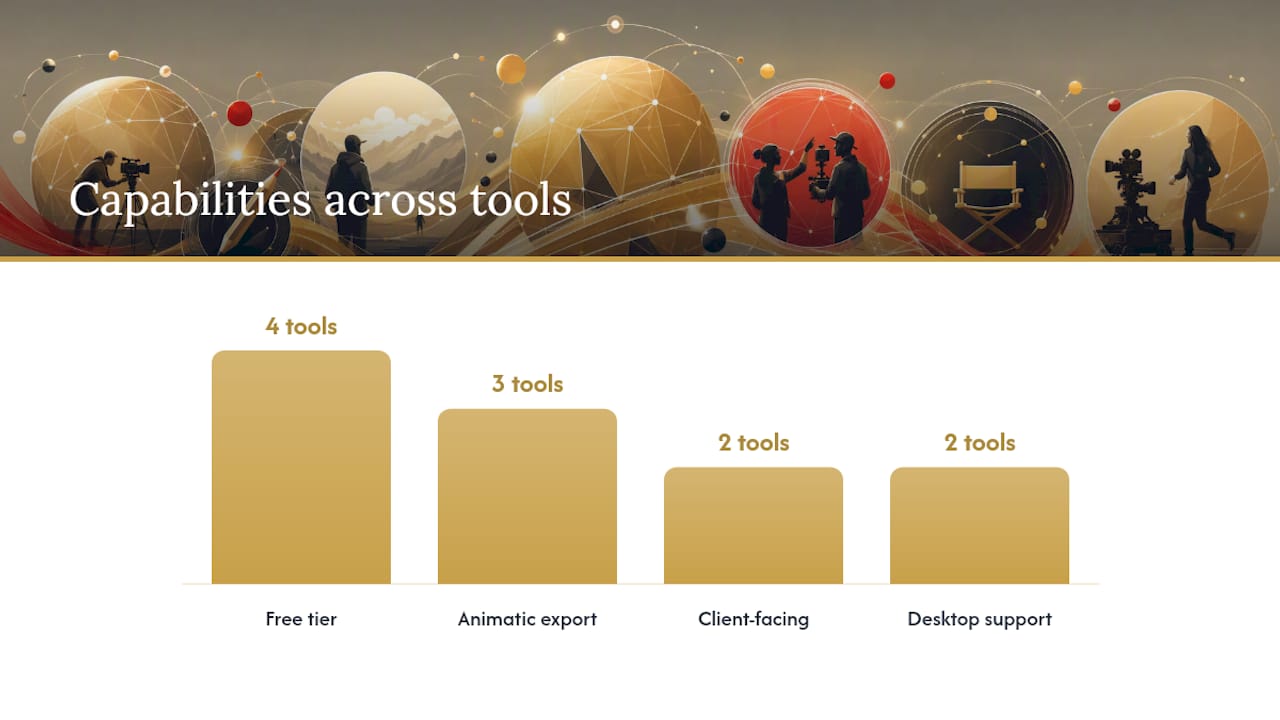
A few trade-offs stand out once you line these up. Free tools like Wonder Unit Storyboarder skip cloud collaboration entirely, so a team spread across time zones will feel that gap fast. Toon Boom Storyboard Pro delivers the deepest animatic control on this list but asks for the steepest learning curve in return. Boords and StudioBinder both solve for client-facing workflows, but only StudioBinder ties boards directly to shot lists and scheduling. If animatic export matters more to you than drawing tools, narrow to Toon Boom, Boords, or Wonder Unit Storyboarder first.
Toon Boom Storyboard Pro: Industry-Grade Animation and Animatics
Toon Boom Storyboard Pro is the pick when your project lives or dies on timing, not just composition. It’s built for animation studios and any project where the storyboard has to double as a working animatic, not just a static reference.
The feature set reflects that focus directly:
- Camera move and pan simulation inside the storyboard itself, so directors see framing decisions before a single frame gets animated.
- A true timeline with scene and panel duration controls, letting artists lock timing against dialogue or music cues early.
- Drawing tools built for speed under deadline, including vector brushes and reusable character templates.
- Layer and peg-based composition that mirrors how animation software like Toon Boom Harmony structures a scene.
Pros and cons split cleanly along the same line that defines the tool:
- Pros: Frame-accurate animatic timing, strong camera controls, exports built for animation pipelines, scales from previs through full production boards.
- Cons: Subscription pricing adds up for freelancers, and the learning curve is real for anyone coming from a simpler sketch app.
Toon Boom offers a free trial before committing to a subscription, and it runs on both Windows and macOS. Export options are built around animatic delivery and formats animation studios already use downstream, which matters more here than PDF output ever will.
Timing is the one thing a static storyboard can’t show you. An animatic tells you whether a scene breathes or drags before you’ve spent a single hour animating it.
StudioBinder: Best for Film and Video Production Workflows
StudioBinder earns its place on this list by refusing to treat the storyboard as an isolated document. It ties panels directly to shot lists, schedules, and the same production tools a crew already uses to run a shoot day.
That connection is the entire value proposition:
- Cloud-based boards that link straight to shot lists, so a director’s visual intent survives the handoff to a first AD.
- Client-facing sharing links that don’t require the recipient to own a StudioBinder account.
- Call sheet and scheduling tools that live in the same platform, cutting out the usual gap between “what we planned” and “what we shot.”
- Animatic-style export for pitch decks and client presentations.
The trade-off is honest: StudioBinder is a production hub with strong storyboard features, not a dedicated drawing app. If your team needs hand-drawn frames with fine detail, you’ll likely pair it with Clip Studio Paint or Procreate for the art and use StudioBinder for everything downstream.
- Pros: Shot lists, scheduling, and client delivery in one place; genuinely saves time on production handoff.
- Cons: Drawing tools are lighter than a dedicated illustration app; better suited to teams than solo artists.
StudioBinder runs as a web platform with a free plan available, and paid tiers scale with team size. Practitioner discussion on r/Filmmakers confirms this pattern repeatedly: crews often pair a production platform for logistics with a separate app for the actual drawing.
A storyboard that lives apart from your shot list is a storyboard someone has to translate twice. That’s where hours disappear on a shoot day.
Wonder Unit Storyboarder: Best Free Sketch-First Tool
If you draw your own frames and don’t want a subscription eating into a tight production budget, Wonder Unit Storyboarder is the strongest answer on this list. It’s completely free, open source, and built specifically for artists who want to sketch fast without fighting the interface.
Its strengths are narrow but deep:
-
A drawing canvas built for speed, with tablet support that feels natural for pen-and-tablet workflows.
-
Local file storage, meaning your boards live on your machine, not someone else’s cloud.
-
Export to common animatic and image formats without a paywall blocking the button.
-
Open-source status, meaning the tool keeps improving through community contributions rather than a vendor’s release schedule.
-
Pros: Zero cost, genuinely artist-friendly drawing tools, fast local workflow, no account required.
-
Cons: No built-in cloud collaboration, so team review means exporting and sending files manually.
The GitHub repository shows active issue tracking and community contributions, which matters if you ever want to extend the tool or check whether a bug you’ve hit has already been reported. For a solo filmmaker or a small crew where one person owns the boards, that local, no-cost workflow removes a real budget line item entirely.
The best free tool isn’t the one with the most features. It’s the one that gets out of your way while you draw.
Boords: Best for Team Collaboration and Client Sign-Off
Boords solves a specific, expensive problem: getting a client or a creative director to approve a sequence of panels without a chain of email attachments and version confusion. It’s a web-first platform built around review, not just creation.
The feature set makes that priority obvious:
-
Native animatic preview, so a client can watch pacing rather than imagining it from static frames.
-
Frame-level commenting that clients can use without creating an account or logging in.
-
Version history that tracks changes across revisions, so nobody’s working from an outdated board by accident.
-
Script-sync options that keep dialogue and visuals aligned as a project evolves.
-
Pros: Genuinely smooth client review, strong animatic previews, version control built for teams juggling revisions.
-
Cons: Pricing scales with team size, so a solo creator working alone may find the collaboration tools underused relative to cost.
Boords runs entirely on the web with collaboration built into its core, and its API and webhook support let production pipelines automate parts of the review process. Agencies producing ad work or client-facing content lean on Boords specifically because sign-off speed often matters as much as the drawing itself.
A board nobody approves on time isn’t a finished storyboard. It’s a bottleneck with pretty pictures attached.
Storyboard That: Best for Templates, Classrooms, and Marketing
Storyboard That takes a different bet than every tool above it: most people trying to make a storyboard aren’t artists, and they shouldn’t need to be. It leans entirely on templates and a large drag-and-drop asset library to get a usable board finished in minutes.
Storyboard That positions itself as a template-driven, web-based creator with both free and premium plans, and that framing shows up in every part of the product:
-
A large character and scene asset library, so users assemble panels instead of drawing them from scratch.
-
Drag-and-drop layout tools designed for people who’ve never used illustration software.
-
Export formats built for classroom handouts and marketing decks rather than production pipelines.
-
Education-specific features, including classroom management tools for teachers assigning storyboard projects.
-
Pros: Fast for non-artists, strong template variety, genuinely easy to learn in a single sitting.
-
Cons: Limited animatic or timing features; not built for production-grade filmmaking work.
Storyboard That runs on the web with a free trial and paid subscription tiers. For schools and districts, privacy matters more than usual, and resources like the Student Privacy Pledge outline the kind of compliance commitments education-facing tools are increasingly expected to make. If you’re a marketing team building a quick social-media storyboard or a teacher assigning a class project, this trade-off of polish for speed is exactly the right one.
Canva, Procreate, and Photoshop: When a Non-Dedicated App Wins
Sometimes the best storyboard tool is the one you already know how to use. Canva, Procreate, and Adobe Photoshop weren’t built for storyboarding specifically, but each fills a real gap for creatives who’d rather not learn a new app under deadline.
Canva works best when speed and collaboration matter more than drawing detail. Its storyboard creator emphasizes customizable templates, a large image library, and real-time collaboration, with AI-assisted design tools built in to speed up layout work. It’s a strong pick for a pitch deck or a rough sequence you need a whole team editing at once.
Procreate is the choice for directors and artists sketching frames by hand on an iPad. Its brush engine rivals dedicated illustration software, and the portability of an iPad makes it genuinely useful for location scouting or client meetings where you’re sketching ideas on the spot.
Adobe Photoshop fits when frames need layers, detailed compositing, or you’re already deep in the Adobe ecosystem alongside Premiere Pro or After Effects. Layered PSD files hand off cleanly to editors who need to reference exact framing and color choices.
- Pros across all three: No new software to learn, strong drawing or layout tools, easy export to formats editors already expect.
- Cons across all three: No animatic timeline, no shot-list integration, and no storyboard-specific metadata like scene numbers or duration tags.
None of these apps replace a dedicated platform once a project scales past a handful of scenes. But for a single sequence, a client mockup, or a director who thinks better with a stylus in hand than a mouse, they’re a legitimate shortcut. Community threads on r/Filmmakers back this up consistently, with practitioners often naming general design tools alongside dedicated storyboard apps depending on the job in front of them.
Sometimes the fastest storyboard tool is the one already open on your screen. Don’t underestimate that.
How to Choose the Right Storyboard Software for Your Project
The decision comes down to one question before any other: are you drawing frames yourself, delivering finished boards to a client, or coordinating a team across a production? Each answer points to a different category of tool.
- Do you need an animatic with real timing? If yes, prioritize Toon Boom Storyboard Pro or Boords. If no, a static tool like Storyboard That or Canva likely covers it.
- Are you drawing frames by hand? If yes, look at Wonder Unit Storyboarder, Clip Studio Paint, or Procreate. If no, template-based tools save you real time.
- Does a client need to review and approve boards? If yes, Boords and StudioBinder both build client review into the core workflow.
- Does the storyboard need to connect to a shot list or schedule? If yes, StudioBinder is built specifically for that handoff.
- Is budget the deciding factor? If yes, Wonder Unit Storyboarder costs nothing, and Canva’s free tier covers basic templated needs.
Before committing, run through this checklist:
- What’s your actual budget: one-time cost, subscription, or free tier only?
- What platform does your team use daily: Windows, macOS, iPad, or strictly web?
- Do you need animatic export, or just a sequence of static images?
- What file formats does your editor or pipeline expect: PDF, PNG, FDX, or video?
- How many people need simultaneous access, and do clients need to comment without an account?
- Does your project involve student data or client-sensitive material that requires privacy compliance?
Watch for these red flags before you commit budget or hours to a tool:
- No export path to video or animatic format, forcing manual screen recording as a workaround.
- No version history, meaning a wrong click can erase hours of revision work.
- Poor tablet or touch support if your team sketches on iPad or Surface devices.
- Vendor pricing pages that hide team-size scaling until after signup.
Pro Tip:During any free trial, don’t test the drawing tools first. Build one full sequence from blank page to export, including sharing it with a collaborator. That’s where tools quietly fail, not in the drawing canvas.
Practitioner Perspective: How DRVVYN Builds Storyboards for Cinematic Music Visuals
Music-driven visuals live and die on timing in a way most film storyboards don’t. A scene can drag for two extra seconds in a narrative film and nobody notices. Do that against a beat drop in a music video, and the whole piece feels off. That’s the lens DRVVYN brings to every storyboard for a music video or visualizer.
The workflow tends to follow the same shape project after project:
- Brief first. Lock the emotional arc of the track before a single frame gets sketched. A song about healing paces differently than one about heartbreak, and the board has to reflect that from panel one.
- Reference boards. Pull visual references, often tied to the same cinematic mood work that shapes the music itself, before committing to specific shots.
- Rough frames. Sketch fast and loose, prioritizing composition and camera movement over polish.
- Animatic pass. Sync rough frames against the actual track, not a placeholder, so timing decisions reflect the real mix.
- Edit handoff. Deliver boards with timecodes and scene notes that match how the edit will actually get cut.
Pacing frames to music works best when the reference audio is locked in early. Pulling from a curated playlist with a similar tempo and mood helps set panel durations before the final mix even exists, which saves a full round of revisions later.
DRVVYN brings in a dedicated storyboard artist when a concept calls for detailed, hand-drawn frames that need to sell mood on their own, not just block camera position. For faster-turnaround visualizers or social content, an in-house rough-board pass in a tool like Wonder Unit Storyboarder or Milanote usually gets the job done without adding a full production step.

Pro Tip:Lock your animatic to a scratch track before you finalize the mix. If the pacing works against a rough version of the song, it will work against the final master too.
The finished visuals from this process live on DRVVYN’s video portfolio, where cinematic pacing and music timing come together in the final cut.
Security and Privacy Considerations for Cloud-Based Storyboard Tools
Once a storyboard leaves your local machine, someone else’s server is holding your unreleased creative work, and that matters more than most teams think about upfront. Client-facing boards often contain unreleased concepts, talent likenesses, or brand assets under NDA, so the platform’s data handling isn’t a footnote.
Web-based tools like Boords, StudioBinder, and Storyboard That store project data in the cloud by design, which is exactly what makes their collaboration features work. That trade-off is worth it for most teams, but it’s worth checking each vendor’s stated data retention and access policies before uploading unreleased client work, especially on tools without enterprise-tier account controls.
Education-facing tools carry an extra layer of scrutiny. Storyboard That markets itself toward classrooms and districts, and resources like the Student Privacy Pledge exist specifically because tools handling student-generated content face regulatory requirements around data collection and storage that a general marketing tool doesn’t.
Locally installed, free tools like Wonder Unit Storyboarder sidestep this entirely. Files stay on your machine unless you choose to share them, which is one more reason it holds appeal beyond just its price tag. If your project involves sensitive client material, that local-first approach removes an entire category of risk before it starts.
Choosing Fast When a Deadline Is Tight
When a client needs boards in four hours instead of four days, the calculus changes completely. I skip anything with a learning curve and reach for a template-first app every time, because relearning software mid-crisis costs more time than the software ever saves.
Here’s what I prioritize on a rush job: clear panel order, visible timecodes, and a temp audio track laid under the sequence, even a rough one. Here’s what I skip entirely: custom character rigging, deep integrations, and any tool that requires an account setup with email verification standing between me and a blank canvas.
A one-hour workflow looks like this: open Canva or Storyboard That, pull ten to twelve templated panels, drop in reference images, export as PDF, send the link. A four-hour workflow adds real drawing: Wonder Unit Storyboarder or Procreate for hand-sketched frames, a rough animatic pass timed against a scratch track, then export straight to video for client review. Neither workflow needs a production platform’s full feature set. Under real time pressure, the fastest tool you already know beats the “better” tool you’d have to learn.
When to Outsource Storyboarding to a Creative Studio
Some projects are worth handing off entirely rather than forcing an in-house team to learn a new tool under deadline. Large-scale music videos, commercial work with brand approval chains, and any project where client sign-off happens across multiple stakeholders tend to eat far more internal hours than the storyboard phase should ever cost.
That’s the gap a studio fills. DRVVYN offers visual concept development, full storyboard and animatic delivery, and production-ready handoff for teams that would rather brief a specialist than manage software licenses and drawing talent internally. The clearest advantage: you get a finished, timed animatic synced to reference audio without burning your own team’s hours on tool selection or revision cycles.
A good brief makes this work fast. Come prepared with your target frame size, any hard timecodes tied to music cues, reference audio or a scratch track, and layered source files if you already have visual assets in play. In return, expect a sequenced animatic, individual frame exports, and a clean handoff package your editor can drop straight into a timeline.
If your next project is a music video, a cinematic visualizer, or brand content that needs visuals synced tightly to sound, take a look at DRVVYN’s late-night visualizer work for a sense of the finished product, then reach out to scope your project against a real delivery timeline.
Frequently Asked Questions
What is the best storyboard software overall?
StudioBinder leads for production teams needing shot lists linked to boards, but the actual best storyboard software depends on whether you’re drawing frames yourself, delivering animatics, or managing client review.
Is there good free storyboard software for beginners?
Wonder Unit Storyboarder is the strongest free option, offering genuine drawing tools and animatic export with no subscription required. Canva’s free tier also works well for template-based beginners.
Which storyboard software works best for animation studios?
Toon Boom Storyboard Pro is built specifically for animation, with camera controls and timeline features that produce frame-accurate animatics most other tools can’t match.
Do I need dedicated storyboard software, or can I use Photoshop or Procreate?
For a single sequence or a client mockup, Photoshop or Procreate work fine. Once a project scales past a handful of scenes, dedicated tools add shot-list integration and animatic timing that general design apps lack.
Can storyboard software integrate with editing tools like Adobe Premiere Pro or Final Cut Pro?
Most dedicated tools export to formats editors already use, including PDF, PNG, and video files, though direct plugin integration varies by platform and is worth confirming during a free trial.
Sources
These sources cover the tools and workflows discussed above in more depth, whether you’re testing a platform yourself or researching alternatives.
- 25 Best Storyboard Software in 2026 Ultimate Guide — StudioBinder
- Free Storyboarding Software — Online Storyboard Creator — StoryboardThat
- Free Storyboard Creator – Easily Make Storyboards Online | Canva
- What software do you use to story board? : r/Filmmakers
- wonderunit/storyboarder — GitHub