

Music Business
Music Project Management: A Complete Guide for Artists
Music Project Management: A Complete Guide for Artists
! Music project manager arranging cables in studio
Music project management is the process of turning musical ideas into released work by coordinating scope, timeline, roles, and handoffs across every phase from composition to streaming.
By DRVVYN · · 16 min read

Music Project Management: A Complete Guide for Artists

Music project management is the process of turning musical ideas into released work by coordinating scope, timeline, roles, and handoffs across every phase from composition to streaming. The single most important action you can take right now is to set a clear “done” condition for each phase before you start, so nothing drifts and nothing gets reworked twice.
Start here — three things you can do right now:
- Write one sentence defining what “done” looks like for your current phase (e.g., “Mixing is done when the engineer delivers labeled stereo stems at 24-bit/48kHz with client approval”).
- List every person touching this project and assign each one a single deliverable with a due date.
- Pick one shared folder and one task tool, and move everything there today.
Key Takeaways
Effective music project management comes down to one discipline: define what “done” looks like for each phase before the work begins, and hold every handoff to that standard.
| Point | Details |
|---|---|
| Set “done” conditions first | Define the output and approval requirement for each phase before recording starts. |
| Use a phase-based timeline | A single runs 6–8 weeks; an EP needs 14–20 weeks with buffer built in at each phase. |
| Assign one owner per milestone | Every task needs one name, not a team, to prevent accountability gaps. |
| Run QC at every phase close | Check LUFS targets, metadata, and approvals at each gate, not only at distribution. |
| Drvvynsound as a reference model | Drvvynsound keeps creative direction in-house and outsources mixing, mastering, and artwork. |
Table of Contents
- What a music project manager does and why it matters
- Core project phases and how to build a realistic timeline
- Who does what: roles, responsibilities, and handoffs
- Which tools and templates actually help you ship releases
- How to build a simple project plan in one hour
- Budget categories and how to track spend without losing control
- Meeting cadence, file naming, and approval workflows
- Common problems that derail music projects and how to fix them
- DRVVYN Sound sample workflow and copyable checklist
- How to manage risk in a music project
- Quality control across every project phase
- Legal and licensing considerations during production and release
- How marketing fits inside your project management workflow
- What actually works for modern indie producers
- Drvvynsound supports your release from production to launch
- Sources
What a music project manager does and why it matters
The project manager in a music release holds the shape of the whole thing together. While the artist feels the song and the engineer hears the frequencies, the PM watches the clock, the budget, and the approval chain. Berklee Online recognizes project management as a distinct music career path built on breaking large work into manageable chunks, coordinating teams, and tracking ongoing progress.
Day-to-day, that means owning scope documents, setting milestones, chasing vendor deliverables, managing metadata, and running approval gates. It also means protecting the creative process from the pressure of logistics. As Fractured Atlas frames it, a project-management mindset reframes administrative tasks as foundational support for creative work rather than unnecessary bureaucracy. That reframe matters: when the admin is handled, the artist stays in the music.
Who performs this role depends entirely on project scale:
| Project scale | Who typically manages the project | Core PM responsibilities |
|---|---|---|
| Solo artist (DIY single) | The artist themselves | Timeline, distributor upload, metadata, marketing posts |
| Small indie team (2–5 people) | Artist-manager or lead producer | Milestone tracking, vendor coordination, approval sign-offs |
| Label-backed release | Dedicated project manager or A&R coordinator | Full scope, budget, legal clearances, cross-department handoffs |
Core project phases and how to build a realistic timeline
Every release moves through four canonical phases. Each one has a primary output and a clear entry condition from the phase before it.
- Pre-production: Concept, reference tracks, session booking, budget approval. Output: approved creative brief and session schedule.
- Production: Recording, arrangement, sound design. Output: approved rough mix with all stems captured.
- Post-production: Mixing, pre-master QC, mastering, post-master QC. Output: distribution-ready master files.
- Distribution and release: Distributor upload, metadata submission, marketing asset delivery, streaming analytics review. Output: live release with analytics baseline set.
The LordReverb production workflow guide maps ten stages from composition through streaming analytics and recommends explicit “done” conditions at each stage to prevent projects from stalling. That structure is worth copying directly into your own plan.
Sample timelines:
For a single release, a realistic schedule runs roughly 6–8 weeks: two weeks for pre-production and recording, two weeks for mixing and revisions, one week for mastering and QC, and two weeks for distribution upload and marketing asset prep before the release date.
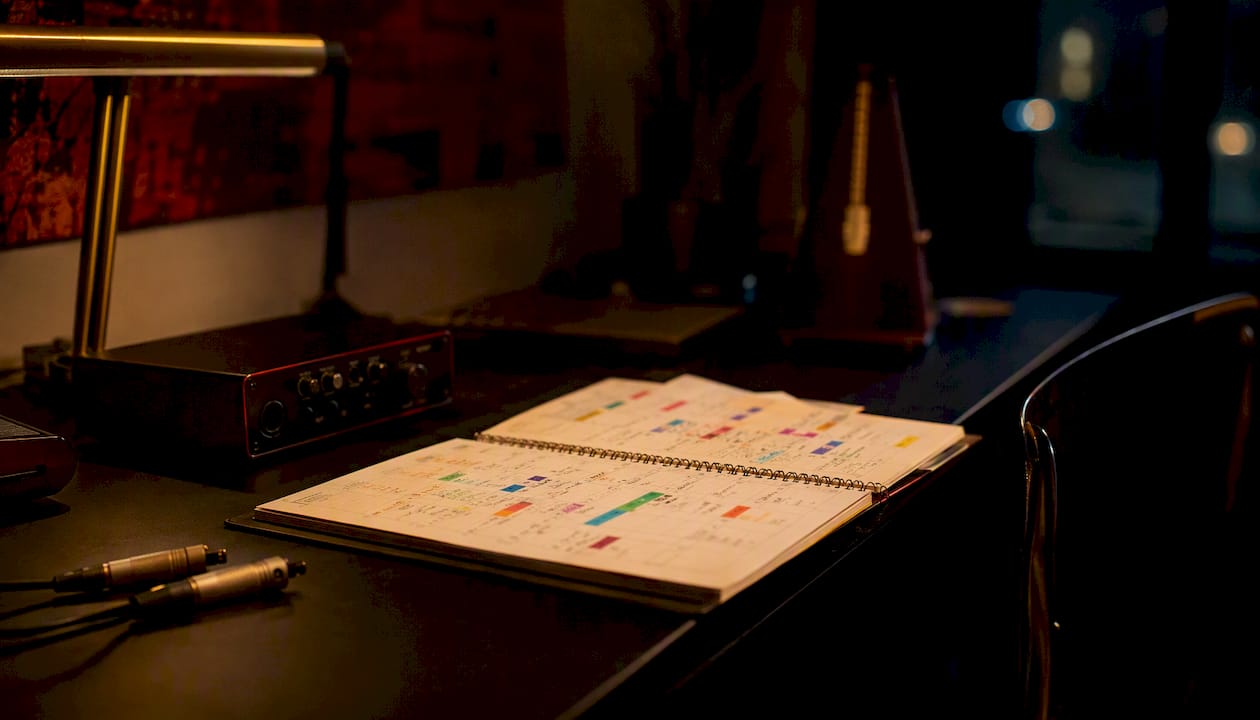
For an EP (4–6 tracks), budget 14–20 weeks: four weeks of pre-production, six weeks of production across all tracks, three weeks of mixing, two weeks of mastering and QC, and four weeks for distribution, artwork, and campaign setup.
Pro Tip:The phase where projects most commonly stall is post-production, specifically the revision loop between mixing and artist approval. Cap revisions at two rounds per track before the session, not after.
Who does what: roles, responsibilities, and handoffs
Blurry role boundaries are where releases quietly fall apart. Every person on a project needs to know exactly what “done” looks like for their piece, and what they hand off when they finish.
Primary roles and their “done” conditions:
- Artist: Approves final mix and master, confirms lyric sheet and metadata, signs off on artwork. Done when written approval is sent.
- Producer: Delivers organized session files, labeled stems, and a mix-ready session to the engineer. Done when the engineer confirms receipt and session opens cleanly.
- Mixing engineer: Delivers stereo mix, stems, and revision notes. Done when the artist and PM sign off in writing.
- Mastering engineer: Delivers platform-ready masters at agreed specs. Done when pre-master QC passes and files are named per the delivery spec.
- Project manager / artist-manager: Owns the timeline, budget tracker, and approval log. Done when the release is live and analytics baseline is captured.
Handoff checklist between roles:
- Session files exported with all audio consolidated and named by track and version
- Stems labeled by instrument group (drums, bass, keys, vocals, FX)
- Metadata sheet completed: ISRC, ISWC, songwriter splits, featured artist credits
- Artwork delivered at distributor spec (typically 3000x3000px, RGB, JPEG or PNG)
- Written approval from the artist or label contact before any file moves to the next stage
For arrangement and production handoff guidance, the producer’s guide to interludes covers how structural decisions in arrangement affect downstream mixing and sequencing.
Which tools and templates actually help you ship releases
The right tool is the one your whole team will actually use. That said, certain categories of tools consistently reduce friction across every release.
- Project and task apps: Notion, Trello, Airtable, or ClickUp all work for tracking milestones and assigning tasks. Music-native platforms like Prisma Music go further by linking release tasks directly to catalogue entries, keeping ISRCs, metadata, and task lists in one place rather than three.
- File and version control: Google Drive or Dropbox for shared access; a strict folder structure and file-naming convention to prevent the “final_final_v3” problem.
- DAW session templates: Pre-configured templates with named buses, routing, and mix-bus chains are the single biggest productivity multiplier for meeting deadlines. Sonarworks’ session hygiene guide makes the case clearly: skipping setup means more time in the creative work.
- Metadata and release checklists: A simple spreadsheet covering ISRC, UPC, songwriter credits, publishing splits, and distributor delivery specs. Build it once, reuse it every release.
- Analytics tools: Spotify for Artists, Apple Music for Artists, and YouTube Studio for post-release measurement. Set a baseline within 48 hours of release.
Template types to build or download:
- Release checklist (pre-production through post-release)
- DAW session template (pre-named tracks, buses, and routing)
- Mix deliverable checklist (file format, bit depth, sample rate, LUFS target, stem labels)
- One-hour project plan template (scope, milestones, owners, deadlines)
For organizing your musical material before a session, Drvvynsound’s approach to structuring emotional content applies directly to session prep and DAW hygiene.
How to build a simple project plan in one hour
You don’t need a certification to run a release well. You need a plan that fits on one page and that your whole team can read in two minutes.
- Define scope (10 minutes): Write one sentence describing what this release is: how many tracks, what format, and what the release date is. If you don’t have a release date, set one now.
- Backfill milestones (15 minutes): Work backward from the release date. Mark the distributor upload deadline (typically 7–14 days before release for most platforms), then the mastering delivery date, mixing delivery date, and recording completion date.
- Assign task owners (10 minutes): Every milestone gets one name next to it. Not a team, one person.
- Set approval gates (10 minutes): Identify the three decisions that require written sign-off: mix approval, master approval, and artwork approval. Name who signs each one.
- Publish the plan (15 minutes): Drop it into your shared task tool or a shared Google Doc. Send the link to everyone on the project. The plan is live when everyone has seen it.
If mixing takes 10 days, write 11. That buffer absorbs one revision round without touching the release date.*
Release automation tools calculate due dates relative to a target release date automatically, which removes the mental load of backfilling manually every time.
Budget categories and how to track spend without losing control
A release budget doesn’t need to be complex. It needs to be honest about what things actually cost and where the money goes first.
Common budget categories for a recording and release project:
- Recording: Studio time or home studio costs (equipment, acoustics, session musicians)
- Mixing: Engineer fees, typically per track or per project
- Mastering: Engineer fees; online mastering services vary widely in price and quality
- Artwork: Graphic designer or photographer fees, plus any licensing for imagery
- Distribution: Annual fees or per-release fees depending on the distributor
- Marketing: Playlist pitching services, social media ads, press release distribution
- Licensing and clearances: Sample clearance, sync licensing fees if applicable
- Contingency: Reserve 10–15% of the total budget for unplanned costs
Track spend in a simple spreadsheet with four columns: category, budgeted amount, actual spend, and variance. Review it at every production check-in.
Meeting cadence, file naming, and approval workflows
Communication breaks down when there’s no structure around it. A simple cadence and a consistent naming convention prevent most of the confusion that derails releases.
Recommended meeting cadence:
- Kickoff: Before recording begins. Align on scope, timeline, roles, and communication channels.
- Production check-in: Midway through recording. Review progress against milestones, surface blockers.
- Pre-master review: After mixing is approved, before mastering begins. Confirm delivery specs and timeline.
- Pre-release sign-off: 7–10 days before release. Confirm distributor upload, metadata, artwork, and marketing assets are all complete.
File naming convention (use consistently):
[ArtistName]_[TrackTitle]_[Version]_[Date]_[Engineer].wav
Example: DRVVYN_PieceOfPeace_MixV2_20260315_JSmith.wav
Folder structure:
/ProjectName
  /01_PreProduction
  /02_Sessions
  /03_Stems
  /04_Mixes
  /05_Masters
  /06_Artwork
  /07_Distribution
  /08_Marketing
Approval workflows should be written, not verbal. A Slack message or email with “approved” and a date is enough. What matters is that it’s documented and timestamped.
Common problems that derail music projects and how to fix them
Most release failures trace back to a small set of recurring problems. Knowing them in advance means you can catch the signal before it becomes a crisis.
- Missing or disorganized stems: Fix by requiring a stem delivery checklist before any mix session closes. If stems aren’t labeled and consolidated, the session isn’t done.
- Late artwork: Artwork almost always takes longer than expected. Commission it at the start of post-production, not at the end.
- Metadata errors at distribution: A wrong ISRC or missing songwriter credit can delay a release by days. Run a metadata review against your checklist before uploading.
- Scope creep: A new track added mid-project, a last-minute feature, a video that wasn’t in the original plan. Each one shifts the timeline. Evaluate every addition against the release date before agreeing to it.
- Revision loops with no cap: Set a maximum number of revision rounds per deliverable in writing before the project starts.
When to delay a release versus ship a trimmed scope: If a core deliverable (master, artwork, or metadata) isn’t ready, delay. If a bonus asset (a visualizer, a lyric video) isn’t ready, ship without it and release the asset separately. Never delay a release for a non-essential element.
DRVVYN Sound sample workflow and copyable checklist
The workflow below reflects how Drvvynsound approaches a single release end-to-end. You can adapt it directly for your next project.
Single release checklist (6–8 week timeline):
- Week 1–2: Finalize composition, book sessions, confirm budget, create project plan
- Week 2–3: Record vocals and instruments, capture all takes, consolidate session files
- Week 3–4: Mix (two revision rounds maximum), deliver labeled stems to PM
- Week 4–5: Mastering, post-master QC against platform LUFS targets (Spotify –14 LUFS, Apple Music –16 LUFS, YouTube –14 LUFS, true peak no higher than –1 dBTP per LordReverb’s platform specs)
- Week 5–6: Artwork delivery, metadata sheet completed, distributor upload
- Week 6–8: Marketing assets live (cover art, short-form video, playlist pitch), release day, analytics baseline set within 48 hours
For an EP: Extend the production and mixing phases by three to four weeks per additional track, and add one week of sequencing and mastering review before the final upload.
What Drvvynsound keeps in-house: Creative direction, songwriting, arrangement, visual concept, and marketing copy. What gets outsourced: Mixing engineering, mastering, and graphic design for artwork.
Pro Tip:Build your streaming discovery strategy before the release date, not after. Playlist pitching on Spotify for Artists opens 7 days before release, and that window closes the moment the track goes live.
How to manage risk in a music project
Risk in a music project isn’t abstract. It’s the session musician who cancels the day before recording, the sample clearance that takes six weeks instead of two, or the distributor upload that fails because of a metadata conflict.
Common risks and contingency responses:
- Talent unavailability: Book session musicians with a 48-hour cancellation clause and keep one backup contact per role.
- Sample clearance delays: If you’re using a sample, start the clearance process before recording begins, not after mixing is complete.
- Technical failures: Back up session files to at least two locations (local drive plus cloud) after every session, not at the end of the project.
- Distributor rejection: Run a pre-upload QC check against your distributor’s technical spec sheet before submitting. Most rejections are preventable.
- Budget overruns: The 10–15% contingency line in your budget exists for this. If you’re drawing on it, flag it immediately rather than absorbing it silently.
A simple risk log with three columns (risk, likelihood, mitigation) reviewed at each check-in meeting keeps the team honest about what’s coming.
Quality control across every project phase
QC isn’t a single gate at the end. It’s a checkpoint at the close of each phase, and skipping one compounds the cost of the next.
Phase-by-phase QC checkpoints:
- Pre-production: Creative brief approved, session schedule confirmed, budget signed off.
- Production: All takes captured, session files consolidated and backed up, rough mix approved before the session closes.
- Mixing: Stereo mix checked against reference tracks, stems labeled and delivered, written artist approval received.
- Mastering: LUFS targets met for each platform, true peak within spec, no clipping or distortion artifacts, metadata embedded in the master file.
- Distribution: Metadata matches the distributor’s submission form exactly, artwork meets spec, ISRC and UPC confirmed, release date locked.
- Post-release: Analytics baseline captured, marketing assets live, any errors in streaming metadata corrected within 48 hours.
The approval log is your QC paper trail. Every sign-off, every revision note, every delivery confirmation goes in one document that anyone on the team can access.
Legal and licensing considerations during production and release
Legal issues don’t announce themselves. They surface at the worst possible moment, usually right before a release date.
Key legal checkpoints for every release:
- Songwriter splits and publishing: Confirm splits in writing before recording begins. Use a simple co-writer agreement or a split sheet signed by all contributors.
- Sample clearance: Any interpolation or direct sample requires clearance from both the master rights holder and the publishing rights holder. Start early; clearances routinely take four to eight weeks.
- Work-for-hire agreements: If you’re paying a session musician, producer, or engineer, a work-for-hire clause in the contract ensures you own the master recording.
- Distribution rights: Confirm you hold or have licensed all rights to the master before uploading to a distributor. Uploading a track you don’t fully control can result in takedowns and revenue holds.
- Sync licensing: If you’re placing music in video content, confirm the sync license covers the territory and term of use.
This is general information, not legal advice. Confirm your specific situation with a music attorney or a qualified entertainment law professional before signing agreements or clearing samples.
How marketing fits inside your project management workflow
Marketing isn’t a phase that starts after the release. It’s a parallel workstream that runs from the moment you lock the release date.
A content calendar for artists should be built at the same time as the project plan, not after mastering is done. Map your marketing milestones against your production milestones: when does the cover art go live on social? When does the pre-save link go out? When does the first short-form video drop?
Marketing milestones to build into your project plan:
- 6 weeks before release: Announce the release date to your audience
- 4 weeks before: Cover art reveal, pre-save campaign live
- 2 weeks before: Spotify for Artists playlist pitch submitted
- 1 week before: Short-form video content scheduled (Reels, TikTok, Shorts)
- Release day: All platforms confirmed live, social posts scheduled, press release distributed
- Week 1 post-release: Analytics review, playlist adds tracked, audience engagement responded to
Distribution selection also shapes your marketing options. As LordReverb notes, choosing a distributor based on catalog strategy and automating uploads once you standardize metadata frees up time you can redirect toward promotion.
What actually works for modern indie producers
Most indie producers don’t fail because they lack talent. They fail because the project loses its shape somewhere between the first session and the release date, and nobody catches it until it’s too late.
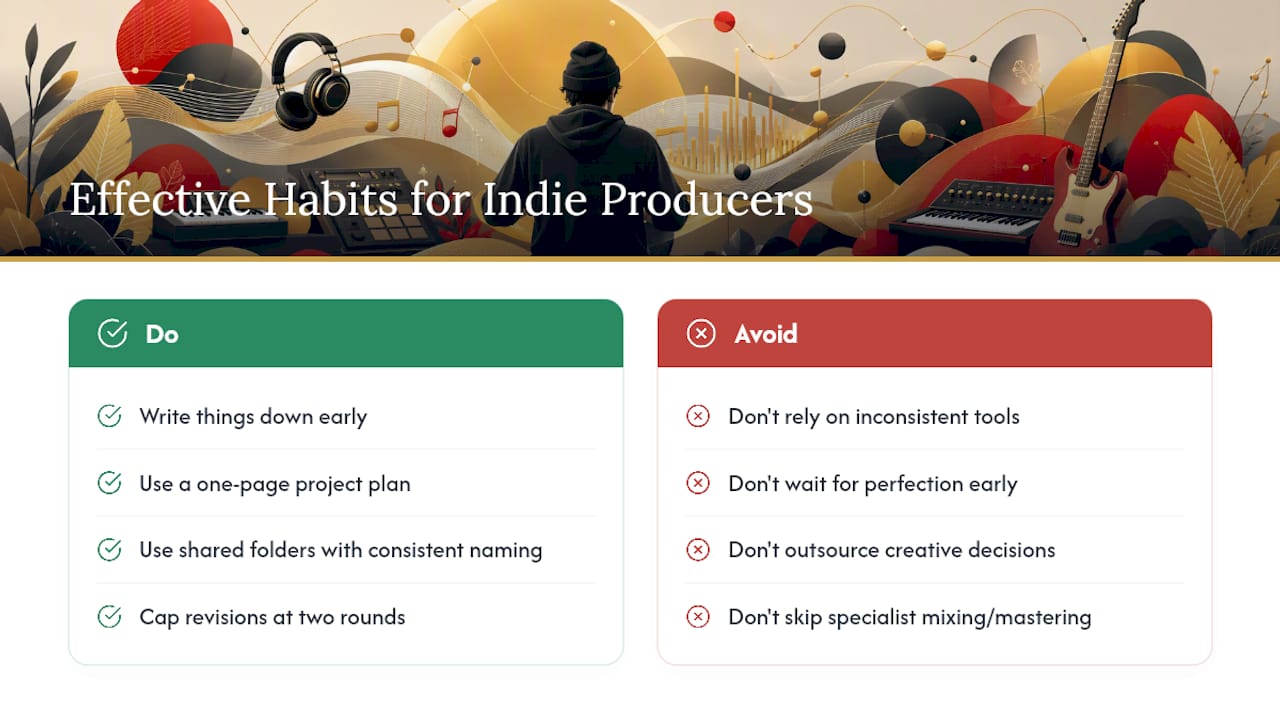
The thing that consistently improves ship rate for small teams isn’t a fancier tool or a bigger budget. It’s the discipline of writing things down before they become problems. A one-page project plan, a shared folder with a consistent naming convention, and a two-round revision cap on every deliverable will outperform any project management software used inconsistently.
Speed versus polish is a real tradeoff, and the answer depends on where you are in your career. Early on, shipping consistently builds more momentum than waiting for perfect. Later, when your audience has expectations, quality control becomes the differentiator. Know which season you’re in.
On the DIY versus outsource question: keep the creative decisions in-house and outsource the technical execution where your skill ceiling limits the output. Mixing and mastering done by a specialist almost always returns more value than the cost, because a bad master can’t be fixed after release without pulling the track.
The session hygiene point from Sonarworks is worth repeating: a DAW template with pre-named buses and routing isn’t a luxury. It’s the difference between spending the first hour of a session on setup and spending it on music.
Drvvynsound supports your release from production to launch
If you’re building out your production workflow and want a reference point for what a release looks like when it’s managed well, Drvvynsound’s catalog is a working example.

Drvvynsound handles original music production, visual content creation, artist branding, and release management for alternative R&B projects. The alternative R&B production style guide walks through the production decisions that shape the sound, and the cinematic listening sessions guide shows how visual and audio elements are coordinated across a release. For producers and artist-managers who want to see how a release is structured from the inside, the late-night R&B essentials guide is a good starting point. Reach out through Drvvynsound to discuss production support, release management, or visual content for your next project.
Sources
- Music Production Workflow: Your Complete Guide | LordReverb
- DAW session organization and pro workflow | Sonarworks blog
- Project management introduction for artists (Fractured Atlas blog)
- Become a Project Manager – Berklee Online
- Project Management – Prisma Music