

Artist Strategy
Daily Shorts or Polished Masters: CapCut vs Premiere Pro for Creators
Daily Shorts or Polished Masters: CapCut vs Premiere Pro for Creators
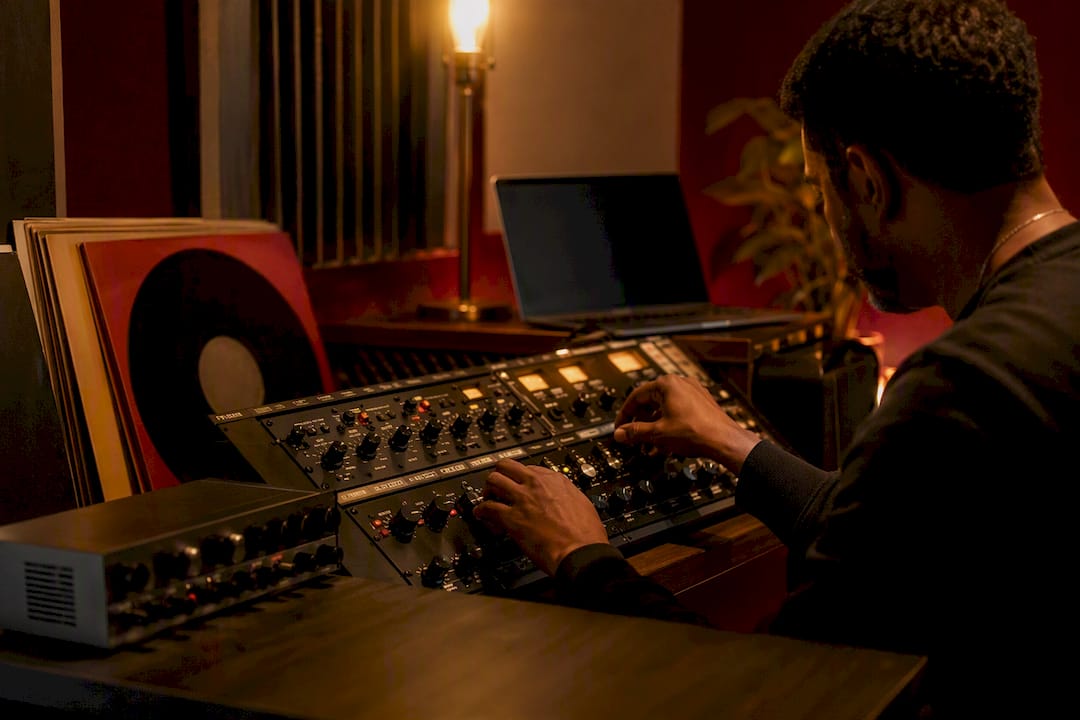
! Hands adjusting audio controls in home studio
If you post short-form content and need speed, CapCut is the right tool.
By DRVVYN · · 11 min read

Daily Shorts or Polished Masters: CapCut vs Premiere Pro for Creators

If you post short-form content and need speed, CapCut is the right tool. If you finish long-form or client work that demands color precision and audio control, Adobe Premiere Pro is the better home for it. Many creators end up using both: CapCut for the quick social cuts, Premiere Pro for the polished master.
TL;DR:
- CapCut is ideal for quick social media edits, with fast onboarding and free export options, but it lacks advanced color grading and project sharing features.
- Premiere Pro offers precise timeline control, professional color scopes, and audio editing, making it suitable for long-form and client work despite a steeper learning curve.
- The choice depends on content type: CapCut fits daily social posts, while Premiere Pro suits multi-week productions and professional projects.
- A hybrid workflow involves using CapCut for initial edits and Premiere Pro for finishing to leverage each tool’s strengths efficiently.
- Creators producing music-driven visuals should prioritize dedicated audio mastering tools or professional production services to ensure high fidelity.
CapCut vs Premiere Pro: How the Three Options Stack Up
Before you commit hours to learning any editor, it helps to see what each one actually offers, side by side, instead of taking a brand’s word for it. CapCut, CapCut Desktop Pro, and Adobe Premiere Pro solve different problems, and the gap between them is wider than a simple “free vs paid” split suggests.
CapCut is the free, cross-platform entry point. It runs on web, desktop, and mobile, and it leans hard into templates, one-click AI edits, and TikTok-integrated audio. One hands-on test found that CapCut’s free web editor exported a clean 1080p MP4 with no watermark, which tells you the free tier is not a stripped-down demo. It is a genuinely usable exporter for quick uploads.
CapCut Desktop Pro is the same editor with more room to work. It adds expanded AI credits, premium templates, and cloud storage, aimed at creators who are already publishing at volume and wanting more automation without leaving the CapCut ecosystem. Pricing has landed around $20 a month or about $180 a year depending on region and promotion.
Adobe Premiere Pro sits in a different category entirely. It is a professional non-linear editor with a Creative Cloud subscription (commonly around $22.99 a month on an annual plan), deep timeline control, Lumetri color scopes, and tight integration with Audition and After Effects.
| Product | Best For | Price Model | Platforms | Learning Curve |
|---|---|---|---|---|
| CapCut | Frequent short-form posting, beginners | Free, with optional Pro tier | Web, desktop, mobile | Very low |
| CapCut Desktop Pro | High-volume creators wanting more AI tools | ~$19.99/month or ~$179.99/year | Desktop, web, mobile | Low |
| Adobe Premiere Pro | Long-form, client, and studio work | ~$22.99/month (annual plan) | Desktop (Windows, Mac) | Moderate to steep |
A few things stand out once you put them side by side:
- CapCut wins on onboarding. You can open the app and finish a cut in the time it takes Premiere Pro to load your first project.
- Premiere Pro wins on control. Multicam sync, nested sequences, and precise trims are built for editors who need repeatable, frame-accurate results.
- CapCut’s asset library is tied to trends. Premiere Pro’s plugin ecosystem is tied to craft.
- Collaboration works differently in each: CapCut leans on cloud sharing for quick handoffs; Premiere Pro leans on project files and Creative Cloud libraries for team pipelines.
None of these differences make one editor universally “better.” They just mean the two tools are built for different jobs, and the mismatch shows up the moment you try to force one into the other’s role.
What Do the Feature Differences Actually Mean for Your Work?
Feature comparisons only matter when you connect them to what you are actually trying to publish. Here is where the gap between CapCut and Premiere Pro becomes a real decision, not a spec sheet.
Timeline precision and project portability. Premiere Pro’s timeline supports nested sequences, multicam grouping, and frame-level trims that hold up across a long project. That level of control is intentional. It exposes settings so editors can hand a project to another editor and know it will open the same way. CapCut’s timeline is built for speed, not depth, and its projects do not travel the same way between machines or teams.

Color grading. Premiere Pro ships with Lumetri color scopes, giving you waveform and vectorscope readouts so you can match shots and protect skin tones across a scene. CapCut offers filters and quick color presets, which work fine for a single vertical clip but fall apart the moment you need consistent grading across a multi-shot sequence.
Audio. This is where the two tools diverge sharply. Premiere Pro round-trips into Adobe Audition for detailed noise reduction, EQ, and mastering. CapCut has built-in audio tools, auto-ducking, and a growing AI voice feature set, but nothing that replaces a dedicated audio workspace.
Effects, templates, and plugins. CapCut’s templates are trend-driven and update fast, which matters if you post daily. Premiere Pro’s plugin ecosystem (from Red Giant to third-party LUT packs) is deeper but slower to keep current with social trends.
AI tooling. Both editors have leaned into AI, just in different directions.
- CapCut: auto-captions, one-click background removal, AI-generated B-roll suggestions, and TikTok-licensed audio matching.
- Premiere Pro: Generative Extend for filling short gaps in footage, AI object masking, and speech-to-text captioning built into the timeline.
- CapCut Desktop Pro: the same AI toolkit as CapCut, with a larger credit allowance for heavier use.
- Neither AI set replaces manual review. Auto-captions in both tools still need a pass for names, slang, and music lyrics.
Export control. CapCut defaults to social-friendly presets (9:16, MP4, common bitrates), while Premiere Pro gives you granular control over codec, bitrate, and container, including ProRes and DNxHD for broadcast delivery.
Pro Tip:Before you trust any freemium editors “1080p export,” download the file and check the actual resolution and bitrate in a media inspector. That five-minute habit catches marketing claims that don’t match reality.
Recent Premiere Pro updates, including Generative Extend and improved masking, have narrowed some feature gaps with faster social editors, but the core workflow difference, speed versus control, hasn’t gone anywhere.
How Do You Actually Choose Between Them?
Picking an editor is less about brand loyalty and more about matching the tool to what you deliver, how often, and to whom. Run through this before you commit to a subscription or a learning curve:
- Name your primary output. Are you shipping daily Reels and TikToks, or monthly long-form videos with sponsors attached? The answer points you toward CapCut or Premiere Pro almost immediately.
- Estimate your editing hours per week. If you are editing solo for under five hours a week, CapCut’s speed advantage compounds fast. If you are managing a team or a multi-week production, Premiere Pro’s structure pays for itself.
- Calculate your real cost, not just the subscription. Factor in a computer capable of running the editor smoothly, any plugins you’ll buy, and the hours you’ll spend learning the tool.
- Run a trial checklist before you decide. Export a real clip and inspect the file. Test multicam sync if you shoot with more than one camera. Open the color scopes (Premiere Pro) or grading filters (CapCut) and see if they meet your bar. Check caption accuracy against actual dialogue. Test any cloud or collaboration feature with a second device.
- Watch for red flags. Projects that lock you into one platform’s ecosystem, unclear licensing on templates or audio, and export limits that only appear after you’ve built the whole project are all reasons to walk away from a tool mid-trial.
System requirements matter more than people expect here. CapCut runs fine on a modest laptop with 8GB of RAM for typical social edits, while Adobe recommends 16 to 32GB for stable 4K timelines in Premiere Pro. If your machine can’t handle Premiere Pro’s demands, no amount of feature comparison matters until you upgrade.
The Hybrid Pipeline Creators Actually Use
You don’t have to pick a side. A growing number of creators run both tools in sequence rather than in competition, and the pipeline is simpler than it sounds.
- Rough-cut and short social versions get built in CapCut first, using templates to hit a publish deadline fast.
- The same footage moves into Premiere Pro for the long-form master, where color grading, audio mixing, and precise trims happen.
- Export intermediates as high-bitrate MP4 or ProRes when moving footage between the two apps, rather than re-exporting a heavily compressed file, to avoid stacking compression artifacts.
- Lock captions, aspect ratio, and brand colors early so the short social cut and the long-form master stay visually consistent.
- Treat project portability as something you manage manually. CapCut and Premiere Pro don’t share project files, so you’re moving media, not timelines, between them.
This isn’t a workaround. It’s simply matching each tool to the stage of the process where it’s strongest: CapCut for speed at the front end, Premiere Pro for control at the finish line.
What DRVVYN Sound Has Learned Producing Music-Driven Visuals
Producing cinematic visualizers and music videos taught DRVVYN Sound something that a lot of general editing comparisons miss: audio fidelity is often the deciding factor, not color or speed. When a visual is built to carry a song, export decisions matter more than they do for a typical social clip.
- Keep the master audio in a dedicated tool rather than the timeline. Layering and mastering audio outside the NLE and importing only the final mix protects fidelity in a way that editing inside a video timeline rarely does.
- Color consistency across a full music video depends on scopes, not eyeballing. That pushes cinematic, narrative-driven visuals toward Premiere Pro’s Lumetri tools rather than CapCut’s filter presets.
- Hiring a production team makes sense when timeline hours, consistency across a release calendar, and licensing safety on music and footage outweigh the cost of doing it yourself.
Stop Asking Which Editor Is “Best.” Ask Which One Fits Your Constraints.
Most comparisons frame this as a contest with a single winner, and that framing sets creators up to make the wrong call. The real question isn’t which editor is better. It’s which one fits what you’re actually making this month.
The mistake we see most often is creators buying into Premiere Pro’s reputation before they’ve counted the cost of learning it, or sticking with CapCut long after their content has outgrown vertical templates. Both are expensive habits. A subscription price is visible; the daily friction of fighting the wrong tool isn’t, and it adds up faster than most people notice.
If your content generates any revenue, whether through brand deals, licensing, or paid placements, check the licensing terms on templates, audio, and AI-generated assets before you publish. That single habit prevents more headaches than any feature comparison ever will.
— DRVVYN Sound
An Alternative: Let DRVVYN Sound Handle the Finish
If you’d rather skip the render queues altogether, DRVVYN Sound offers a different route: professional production instead of a second piece of software to master. Where CapCut and Premiere Pro hand you the tools, DRVVYN Sound delivers finished audio masters, cinematic visualizers, and full music video production, so the fidelity questions this article raises about color scopes and audio round-tripping are already solved before you receive the files.
This route makes the most sense when your time is better spent on the creative direction than on learning Lumetri scopes or troubleshooting export codecs, especially for music-driven content where audio mastering quality shapes the entire viewer experience. DRVVYN Sound’s approach to late-night, mood-driven visual experiences shows what a fully produced visualizer looks like when the technical decisions are handled for you. If you’re producing music-driven content and want a finished master instead of another editing app to learn, reach out through DRVVYN Sound’s production page to discuss your next release.
Where These Comparisons Come From
Several hands-on reviews and feature breakdowns informed the claims above, worth reading directly if you want more detail before you decide.
- CapCut vs Premiere Pro 2026: Honest Comparison & Verdict
- CapCut Vs Adobe Premiere 2026: Tested CapCut, Researched Premiere
- CapCut vs Premiere Pro: Find Your Best 2026 Editor
- CapCut vs Premiere Pro: Which is best?
Sources
- CapCut vs Premiere Pro 2026: Honest Comparison & Verdict
- CapCut Vs Adobe Premiere 2026: Tested CapCut, Researched Premiere
- CapCut vs Premiere Pro: Find Your Best 2026 Editor
- CapCut vs Premiere Pro: Which is best?
FAQ
Why have people stopped using CapCut?
Most creators haven’t stopped using CapCut; they’ve outgrown it for specific projects. Once a channel adds long-form content, client work, or heavier color and audio needs, editors typically add Premiere Pro rather than dropping CapCut entirely.
Is CapCut better than Adobe Premiere Pro?
Neither is better in every case. CapCut is faster and easier for short-form social content, while Premiere Pro leads on control, color, audio, and licensing safety for long-form and client projects.
What editor is better than CapCut?
For long-form or professional finishing, Adobe Premiere Pro offers more control through Lumetri color scopes and Audition integration. For creators who want more AI credits and storage without leaving CapCut’s ecosystem, CapCut Desktop Pro is the next step up.
Which is the number one video editing software?
There is no single “number one” editor. Benchmarks and reviews consistently show CapCut leading for speed and beginner accessibility, while Premiere Pro remains the standard for intermediate and advanced creators who need professional-grade finishing.