

Creative Process
From iPhone 16 Pro to 1,000 fps: Slow Motion Music Video Workflows
Learn slow motion music video workflows from OK Go and siska, from iPhone shoots to 1,000 fps rigs. Lighting, syncing, grading, and budget-ready tips.
By DRVVYN · · 12 min read
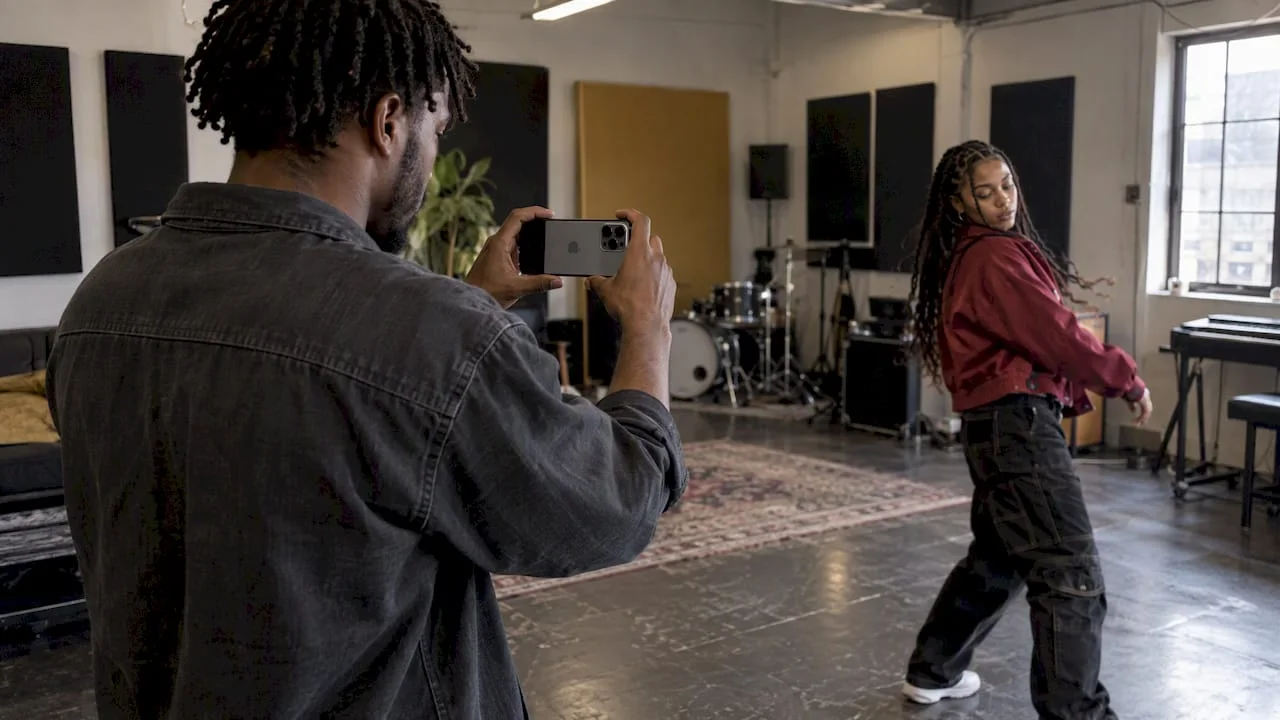
This page walks through the slow-motion music videos that defined the look, including the Phantom Flex4K rig behind “Unconditional Rebel” and the planning precision behind OK Go’s work, then breaks down the frame-rate math and lighting tradeoffs you need to recreate it. Whether you shoot on an iPhone 16 Pro or a Sony VENICE 2, the same arithmetic and light rules apply, and we build our own cinematic visuals around them.
TL;DR:
- Shooting extreme slow motion with cameras like Phantom Flex4K requires detailed previsualization, extensive lighting, and higher production costs.
- Higher capture frame rates demand significantly more light and storage, with 120fps needing roughly four times the light of 30fps to maintain quality.
- The slow-motion factor depends on dividing the capture frame rate by the playback rate, with 120fps footage played at 24fps resulting in a 5x slowdown.
- Budget options like phone cameras at 120fps or 240fps are accessible but limit resolution and require strong lighting for quality results.
- Synchronizing audio in slow motion benefits from pre-recorded reference tracks and planned sync points to prevent drift and maintain emotional impact.
1. Standout slow-motion music videos and what they prove
Some slow-motion sequences feel like they slipped out of a dream, and that effect usually traces back to a specific, deliberate choice on set rather than a filter dropped on afterward.
The clearest example is siska’s “Unconditional Rebel.” The team filmed at 1,000 frames per second on a Phantom Flex4K, and a shoot that lasted roughly 5 seconds in real time stretched into a sequence running about 3 minutes and 24 seconds once played back. That kind of extreme ratio only works because every gesture, splash, and lighting cue was mapped before the camera rolled.
OK Go built a reputation on the opposite discipline: compressing enormous planning into a few seconds of practical action. Their high-speed sequences depend on previsualization so exact that a single mistimed beat can throw off the entire shot, which is why directors working at this scale lean on spreadsheets and strict cue sheets rather than improvisation.
Beyond those two poles sit the videos most viewers actually encounter day to day:
- Mainstream pop and R&B videos often mix 60fps or 120fps passes with standard footage for contrast rather than committing to slow motion throughout.
- Phone-shot viral clips on platforms like TikTok frequently use native 120fps or 240fps modes to catch hair, water, or fabric movement without any specialized rig.
- Performance-heavy videos sometimes isolate a single chorus or drop into slow motion to mark an emotional peak rather than stretching the whole runtime.
Each approach answers a different question. Ultra-high-speed work like “Unconditional Rebel” asks how strange and suspended motion can look. OK Go’s method asks how much spectacle a team can choreograph into a handful of real seconds. The phone-shot clips ask how accessible the technique can be with almost no budget at all.
2. How slow motion works: the frame rate math you need
Slow motion comes from a mismatch between how fast you capture and how fast the footage plays back, and the relationship between those two numbers is called the slow-motion factor.
The formula is simple: divide your capture frame rate by your playback frame rate. Shoot at 120fps and play back at 24fps and you get a 5x slowdown, meaning one second of real action stretches into 5 seconds on screen. Shoot at 60fps against a 24fps timeline and the factor drops to 2.5x, a gentler, more natural-feeling slow motion.
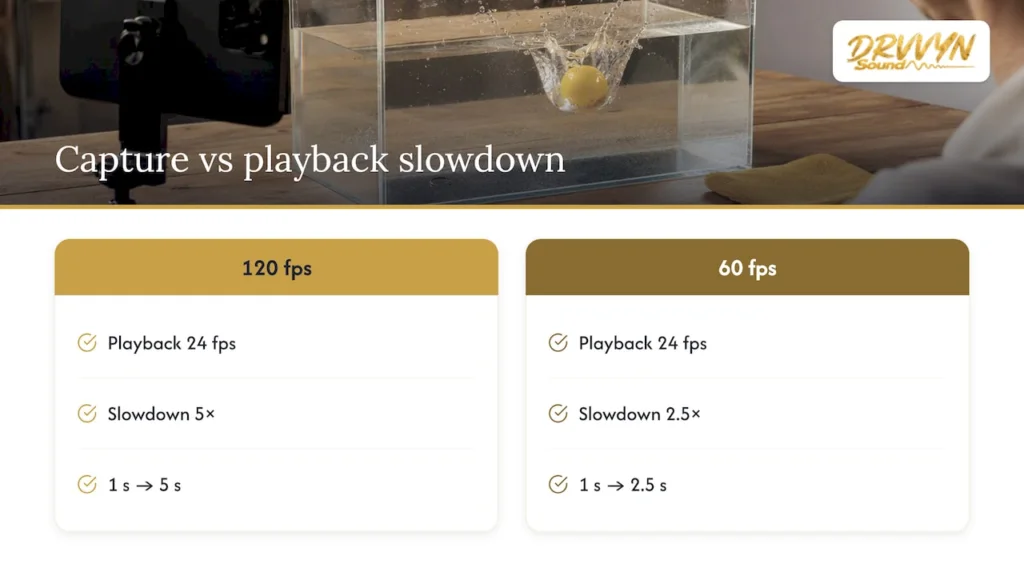
Your delivery frame rate changes everything about this math. A 30fps timeline produces different slowdown ratios than a 24fps timeline from the same footage, so decide where the project will live, streaming platform, broadcast, or social feed, before you commit to a capture rate.
A free slow-motion calculator can convert your capture fps and real event duration into a final clip length, which saves you from guessing on set. The working rule worth memorizing: pick the lowest capture fps that still delivers the on-screen duration you actually need. Overshooting fps wastes light, storage, and processing time for a result you could have gotten more cheaply.
3. Camera, sensor, and lighting tradeoffs at high frame rates
Raising your frame rate is never free. Every doubling of fps cuts your exposure time per frame in half, which means the sensor gathers less light in that instant and you have to compensate somewhere else.
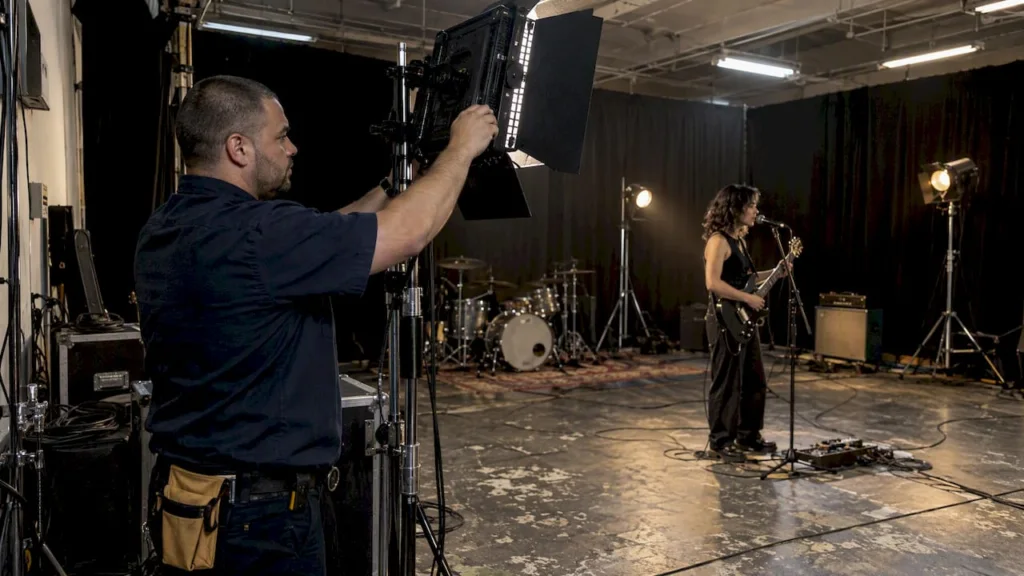
The numbers are concrete. Shooting at 120fps instead of 30fps demands roughly four times the light, and the resulting files run about four times larger as well. That light deficit forces a choice: add more fixtures, open your aperture, raise ISO and accept more noise, or shoot somewhere already bright. None of those options is automatically wrong, but each one changes the final image.
The 180-degree shutter convention keeps motion looking natural rather than stuttered or frozen. The rule of thumb is to set your shutter speed to roughly twice your frame rate, so 120fps calls for a shutter around 1/240. Break that rule and footage either smears unnaturally or looks like a strobe.
Sensor and lens choices compound these constraints:
- Cameras like the Sony VENICE 2 give cinematographers extra resolution headroom, which allows higher frame rates and digital reframing in post without losing detail.
- Hard, bright lighting setups often pair with clean modern glass such as ZEISS Master Primes, while softer, more textured looks favor vintage lenses that flare and soften under the same intensity.
- Very high fps shoots generate enormous data loads, so fast media cards, redundant backups, and extra drive space become part of the budget, not an afterthought.
Pro Tip:Run a 10-second lighting test at your target fps before the real take; a monitor preview at normal speed hides exposure problems that only show up once you slow the footage down.
4. How to create slow motion yourself on a budget
You do not need a Phantom Flex4K to get a usable slow-motion sequence; for efficient shooting and editing, follow this fast video production guide. You need the right fps for your shot, consistent light, and a clean conform in post.
- On a phone like the iPhone 16 Pro, switch to its highest slow-motion mode, typically 120fps or 240fps at 1080p, and shoot under strong, continuous light since phone sensors struggle in dim conditions at these rates.
- On a mirrorless or cinema camera, choose your capture fps based on the slow-motion factor you calculated earlier, hold the 180-degree shutter rule, and bracket a couple of exposure tests before the real take.
- In your editor, conform the clip to your timeline’s playback fps so the software recognizes the intended slowdown rather than just playing the file back at native speed.
- For footage you could not shoot at high fps, optical-flow tools like Twixtor can manufacture slow motion, though they tend to introduce artifacts on fast or detailed motion and work best for subtle slowdowns.
- Always drop a short test clip into your actual timeline early, before the full shoot day, so you can confirm the motion blur and speed look right rather than discovering a problem in the edit bay.
For a closer look at which editing software fits this workflow, our comparison of CapCut and Premiere Pro covers the tradeoffs between quick phone edits and a full desktop conform.
5. DRVVYN Sound’s approach to cinematic visuals and slow motion
We write original music and produce visual content that carries it, which means we think about frame rate and light the same way we think about melody and mood. A score built for stillness needs footage that can actually hold still, and that pairing between cinematic music and visual pacing shapes how we approach slow-motion sequences we produce. Our catalog of finished videos reflects that same instinct, and we handle licensing for creators who want a track built around emotional weight.
6. Syncing audio when your footage runs in slow motion
Slow-motion footage and real-time audio do not naturally agree, and that mismatch is one of the more frustrating problems a creator runs into mid-edit.
The core issue is simple: your visuals now run at a different speed than the moment they were captured, but your song keeps its original tempo. A singer’s lips, a drummer’s hit, or a dancer’s footfall drifts out of sync the moment you stretch the clip, even if the audio track itself sounds fine.
The most reliable fix is recording a clean audio reference, often the full song playing on set, during the shoot, then using that reference to align slow-motion visuals back to the beat in post rather than trying to match lip movement by eye. Many editors also build a visual metronome into the shoot itself, a flashing light or a visible clap, so there is a hard sync point in every take regardless of fps.
For lip-sync specific work, performers sometimes mouth the words at a faster tempo than the song, anticipating the slowdown, so that when the clip stretches, the mouth movements land back on beat. This takes rehearsal and a few test takes to calibrate, but it avoids the uncanny, slightly-off feeling of lips that drift from the lyric.
Whatever method you choose, treat sync as a planning step rather than a fix-it-later problem. Deciding your slow-motion factor before the shoot tells you exactly how far the audio will drift, which makes the correction predictable instead of guesswork.
7. Color grading and effects built for slow motion
Slow motion changes how color and grain read on screen, so a grade that works at normal speed can fall apart once you slow a clip down.
Stretched footage holds on every frame longer, which means noise, compression artifacts, and uneven skin tones become far more visible than they would in a quick cut. Shooting clean, with as much light as your frame rate demands, pays off doubly here because a noisy high-fps clip gets noisier in the eyes of a viewer once it is slowed.
Contrast and saturation decisions also behave differently at slow speed. A high-contrast, heavily saturated grade that reads as punchy in real time can feel aggressive or exhausting when it lingers on screen for several extra seconds. Many editors pull saturation back slightly and soften contrast curves specifically for slow-motion passages, reserving the boldest grading choices for the normal-speed sections of a video.
Motion blur deserves its own attention in the grade. Footage shot with the correct 180-degree shutter already carries natural blur, but added effects like glow, diffusion, or a subtle vignette can reinforce the dreamlike quality that slow motion is often chosen for in music videos. Overdoing these effects, though, muddies the one advantage slow motion gives you: the chance for a viewer to actually see detail that a normal cut would blur past.
Keep your grading consistent between slow and real-time sections so the slow-motion moments feel like an intentional shift in mood rather than a jarring cut to a different look entirely.
8. What slow-motion shoots actually cost
Budget is where the gap between “Unconditional Rebel” and a phone-shot TikTok clip becomes obvious, and most of that gap comes down to light and equipment rather than the camera body itself.
A specialized high-speed camera like the Phantom Flex4K, along with the lighting package needed to feed it enough exposure, represents a real production investment, often requiring a rental budget, a lighting crew, and extra days for the previsualization work that OK Go and similar directors rely on. That level of planning is itself a cost: spreadsheets, rehearsals, and cue sheets take time before a single frame is shot.
A mid-tier option using a camera like the Sony VENICE 2 or a comparable cinema camera sits in between. You get professional image quality and the flexibility of higher resolution for post-production reframing, but you are still paying for the extra lighting that higher fps demands and for storage to handle files that run roughly four times larger than standard footage.
The budget end of the spectrum, phone capture at 120fps or 240fps, costs little beyond the light itself, since most creators already own the camera. The tradeoff is resolution and the crop that phone slow-motion modes typically apply, which matters less for a social clip than it would for a video meant for a large screen.
Whichever tier fits your project, factor lighting and storage into the budget before the camera rental or purchase, since those two line items grow fastest as your frame rate climbs.
9. When spectacle earns its place in a slow-motion sequence
Not every chorus needs 1,000 frames per second. Micro high-speed spectacle works when a single moment, a splash, a spin, a collision of light, carries the emotional peak of the song, while modest slow motion suits scenes built on sustained feeling rather than a single climax.
Slow motion always changes pacing: it asks a viewer to sit inside a feeling rather than move past it. That only lands when the director, cinematographer, and editor agree early on exactly which moments deserve that weight.
**
10. Licensing cinematic music for your next slow-motion project
A slow-motion sequence carries real emotional weight, but it needs a score built to match that pacing rather than a track dropped in afterward. We license original cinematic music for visual work, composed with attention to mood that a high-speed shoot demands from its lighting and camera choices.
- Explore licensing for a track built around your project’s pacing and emotional arc.
- Review our guide on music project management if a slow-motion shoot is part of a larger release plan.
FAQ
What is the best slow motion video song?
There is no single agreed-upon “best,” since the right pairing depends on the mood a director wants. siska’s “Unconditional Rebel” is frequently cited for its technical extremity, having been shot at 1,000 fps on a Phantom Flex4K to turn a few seconds of action into a multi-minute sequence.
What is the famous slow motion song?
Several videos are known for their slow-motion work rather than one definitive title, but OK Go’s high-speed productions are widely referenced for combining extreme previsualization with practical, in-camera effects rather than digital slowdown alone. siska’s “Unconditional Rebel” is another frequently cited example for the sheer scale of its slow-motion factor.
How do I do slow motion on a video?
Shoot at a higher frame rate than your delivery timeline, then divide your capture fps by your playback fps to get the slow-motion factor, for example 120fps against a 24fps timeline produces a 5x slowdown. Phones like the iPhone 16 Pro offer built-in high-fps modes, while dedicated cameras give more control over exposure and the 180-degree shutter rule that keeps motion looking natural.
How can I animate a music video?
Animated sequences in music videos typically combine motion graphics or illustration with live footage, planned alongside the song’s structure much the way a slow-motion shoot requires previsualization. For live-action slow motion specifically, pairing a tested frame-rate plan with consistent lighting, as outlined above, gives you the cleanest foundation to build animated or composited elements on top of.
Sources
- Whole music video shot in just 5 seconds
- Framerates 30fps vs 60fps
- What Frame Rate Should I Use for Slow Motion Video?
- Slow Motion – Free Filmmaking Calculator | Tools for Film