

Music Marketing
Musicians: Get Discovery With 9:16 Vertical Music Videos In 2026
2026 playbook for musicians: build native 9:16 masters, pick AI or shoot workflows, publish platform safe TikTok, Reels, Shorts clips.
By DRVVYN · · 10 min read
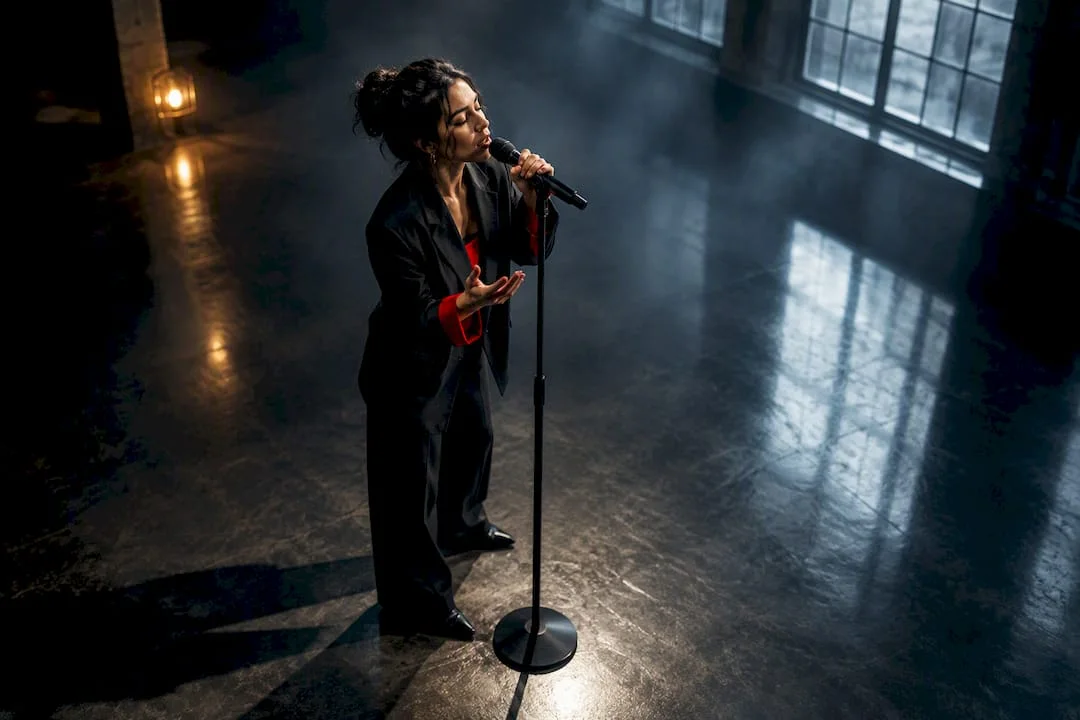
A vertical music video is a native 9:16 master built for portrait viewing on phones, typically in the 1080×1920 pixel resolution range. Make that master first, before anything else. Once it exists, you slice it into a Spotify Canvas loop, a TikTok hook, a Reels clip, and a Shorts upload, watching platform rules on length and copyright so nothing you post gets quietly buried or blocked.
TL;DR:
- Creating a native 9:16 vertical master before editing into clips ensures consistent framing and safe zones for platforms like TikTok, Reels, Shorts, and Spotify Canvas.
- A vertical video should keep the subject and lyrics within the central safe zone, avoiding critical visual information near the top and bottom edges where interface elements overlay.
- Short clips under 15 seconds and those that loop smoothly significantly boost engagement, especially when the opening hook is compelling and well-framed.
- Using AI generation, native shooting, or a combination of both can produce effective vertical masters depending on budget and timeline, with clear briefs improving quality.
- Upload rules emphasize respecting copyright, especially limiting the length of claimed music tracks to under 90 seconds, and filling in metadata accurately for better discoverability.
What Does “Vertical Music Video” Actually Mean?
Native vertical means the camera or the AI generator was pointed at a portrait frame from the first second, not a landscape video squeezed to fit. The universal safe spec is 9:16 at 1080×1920 pixels, and that number matters because every platform you’ll post to, TikTok, Reels, Shorts, Spotify Canvas, reads that frame natively without cropping or letterboxing.
Every one of those platforms overlays interactive UI, captions, and profile icons in roughly the same places, so a shared safe zone has emerged across all of them:
- Keep your subject and lyrics inside the central vertical band, roughly the middle 1,620 pixels of a 1,920 pixel tall frame.
- Leave the top area clear of critical text or faces.
- Leave the bottom area clear too, as that’s where captions, usernames, and share buttons appear.
- If you’re building a Spotify Canvas loop, plan a 3 to 8 second segment that loops seamlessly, since Canvas repeats that clip endlessly while a track plays.
Why Vertical Is the Discovery Play Now
Short-form feeds run on portrait video by default. TikTok, Reels, and Shorts all weight native vertical content over horizontal crops, and a video that fights the frame with black bars on the sides reads as an afterthought to both the algorithm and the thumb scrolling past it.
The first few seconds decide everything. Feed algorithms watch completion rate and rewatch behavior before they decide whether to show your clip to anyone else, so a vertical music video that opens on a static logo or a slow fade loses most of its shot at reach before the hook even lands. Clips under 15 seconds carry the highest chance of getting replayed and shared, while most working music clips run somewhere in the 15 to 60 second range, long enough to plant a hook, short enough to loop.
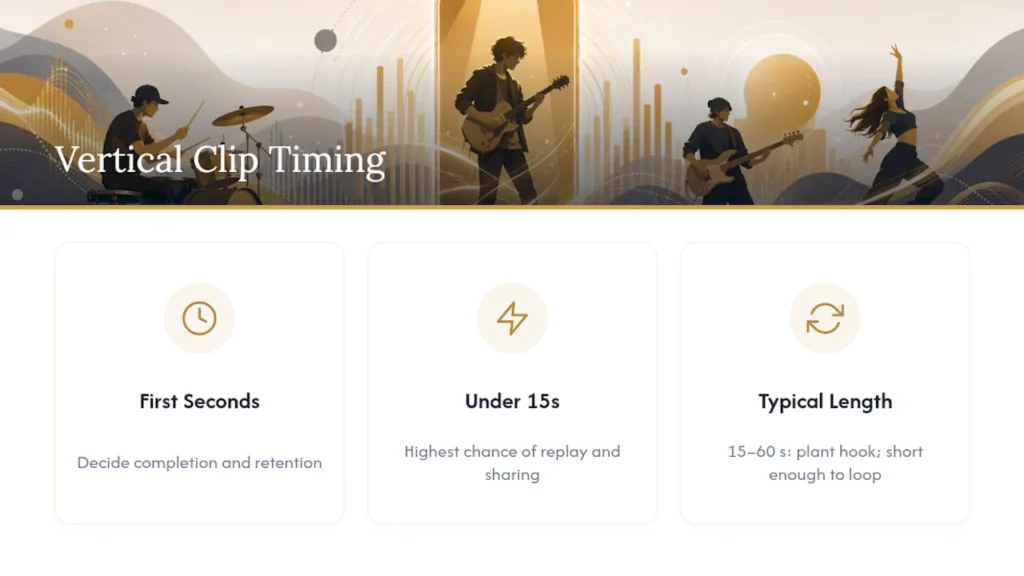
That loop matters more than most artists assume. A clip that loops smoothly invites a second watch, which can help reach a wider audience.
How Do You Frame a Shot for a Vertical Screen?
Composition for portrait video isn’t landscape composition rotated. You’re working with a tall, narrow canvas, and every choice about where the subject sits and how the camera moves has to respect that shape.
- Center your subject, or place them slightly off-center, inside that central safe band. Never let a face or a key visual moment touch the top or bottom danger zones.
- Favor vertical motion. Rises, drops, and reveals read as cinematic in a 9:16 frame in a way that a horizontal pan simply doesn’t.
- Build depth by separating foreground and background elements. A subject lit against a blurred backdrop reads far more expensive than it costs to shoot.
- Design captions to appear word by word where the platform allows it. Word-by-word caption templates consistently hold attention longer than a block of text dropped in all at once.
- Reserve the bottom third of the frame for nothing important. That’s where the platform is going to put its own interface whether you plan for it or not.
Pro Tip:Shoot your hook moment twice, once with the subject dead center and once slightly off center. Cut both into your rough edit and see which one survives the safe zone crop without losing the emotional beat. It’s rarely the version you expected.
Should You Film, Generate With AI, or Both?
Three production paths lead to a usable vertical master, and which one fits depends on your budget, your timeline, and how much of the emotional weight has to come from a human performance versus a mood.
- Shoot native vertical. Rotate your rig, not your footage. Use a lens wide enough to hold depth in a narrow frame, light for a portrait composition rather than a wide one, and check your monitor in 9:16 on set, not after the fact in the edit.
- Generate with AI. Upload your mastered audio, write a tight creative brief describing mood, palette, and pacing rather than a shot-by-shot script, and export the 9:16 master directly. Check the safe zones before you call it final.
- Combine both. Generate the base master for speed and consistency, then film two or three high-impact vertical scenes, a close-up, a hook beat, a reveal, and intercut them to replace the weakest AI-generated moments.
The 50+ visualizer ideas resource covers copyable concepts for either path if you’re starting from a blank page.
What Are the Upload Rules and Copyright Risks?
YouTube treats any square or vertical video up to a few minutes as a Short, and you can upload existing vertical footage or record directly in the Shorts creation tools, adding music, filters, and effects before you publish.
The copyright trap catches more artists than the length limit does. A Short running over one minute that carries a Content ID claim on its music can get blocked outright, and some tracks in the platform’s audio library only clear for use up to 90 seconds depending on the rights attached to that specific recording. If you don’t hold clear rights to the track, pull from the platform’s own audio library rather than gambling on a claimed master.
- Export at common vertical resolutions like 1080×1920, using standard codecs supported by your platform.
- Fill in metadata completely, and link your full-length release in the video description.
- If you’re monetizing claimed music, check whether your channel qualifies as an Official Artist Channel, since that status changes how a short claimed video gets treated for revenue.
- When you didn’t record the underlying composition yourself, understand what a needle drop license actually covers before you post.
What’s the Release-Day Checklist for Maximum Reach?
Publishing in the right order matters almost as much as the footage itself. Build the master once, then work outward from it.
- Finish one vertical master first. Everything else gets cut from this file.
- Export a 3 to 8 second Canvas loop, a 15 second hook clip for TikTok and Reels, and a 30 to 60 second promo cut for Shorts and Reels.
- Write your first caption line as the hook itself, not a throwaway intro. Include your artist handle and a link to the full track.
- Pin whichever clip performs best within the first 48 hours, and let the others ride underneath it.
- Test variables one at a time: the opening frame, the caption wording, the posting time. Repurpose whatever wins across every platform you’re active on.
Pro Tip:Post the same hook clip at two different times on two different days before you touch the edit itself. A quiet clip posted at the wrong hour looks like a failed video when it’s actually just an untested one. Building genuine engagement through social platforms takes repetition more than perfection.
What DRVVYN Sound Has Learned Producing Vertical Masters
Budget decides the starting point more than artistic preference does. An AI-generated master gets a track live and discoverable within days, and it’s a legitimate option when the priority is speed. A hybrid build, an AI base intercut with two or three filmed hero moments, tends to close most of the perceived gap in production value without the cost of a full shoot.
Before you commission any vertical video, hand over four things: your mastered stems, a one-paragraph creative brief describing mood and pacing, two or three reference frames showing the look you want, and your platform priorities so the export specs get built right the first time.
A vertical master built without a clear creative brief almost always needs a second round of edits. The brief isn’t paperwork. It’s the difference between one export and three.
What Musicians Get Wrong About Vertical Video
Most advice on this topic treats vertical video as a distribution afterthought, something you crop out of the “real” horizontal video once it’s finished. That thinking has it backwards. The vertical master should be the primary creative decision, made before a single frame is shot or generated, because cropped landscape footage rarely survives the safe zone without losing the visual information that made the shot work in the first place.
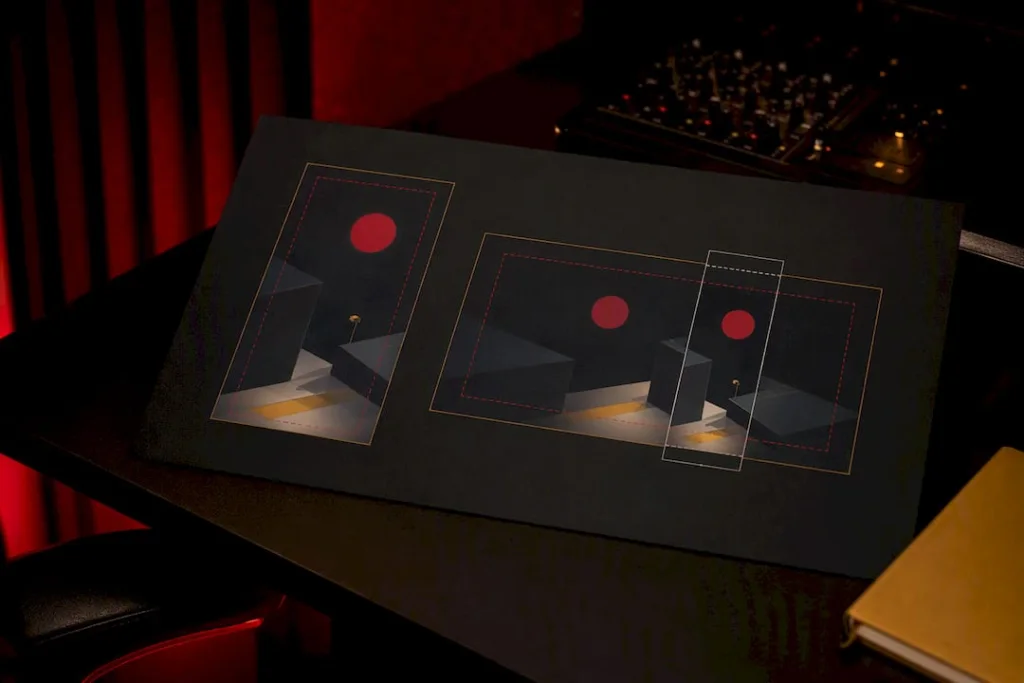
The other blind spot is treating every platform’s clip as a separate creative project. It isn’t. One well-built 9:16 master, framed with the safe zones in mind from the start, can feed Canvas, TikTok, Reels, and Shorts without a reshoot. Artists who build platform-specific videos from scratch each time are spending three times the effort for content that performs roughly the same.
What deserves the most attention isn’t the flashiest visual idea. It’s the boring discipline of checking safe zones before you call a cut final, and understanding Content ID’s behavior well enough that a promising clip doesn’t get blocked the week it starts gaining traction. Get the frame and the rights, and the creative choices matter far more than any trend chasing.
— DRVVYN Sound
Ready to Commission a Vertical-First Master?
DRVVYN Sound builds cinematic vertical masters the way this article describes: native 9:16 composition, safe zone framing, and export specs matched to Canvas, TikTok, Reels, and Shorts from a single shoot or AI-assisted session. Where an independent artist juggling a DIY crop and a licensing question separately loses days, working with a team that handles the master, the visual direction, and the licensing conversation in one pass saves both the reshoot and the rights headache.
Before reaching out, gather your mastered stems, a short creative brief on mood and pacing, and two or three reference frames. That’s the same checklist covered above, and it’s what turns a first conversation into a working timeline. Visit the licensing and services profile to start that conversation and get current pricing and availability.
Sources
- Get started creating YouTube Shorts – YouTube Help
- Vertical Music Video Guide: The 9:16 Format That Now Drives Music Discovery in 2026 | Echonos
- How to Make a Vertical AI Music Video: A 9:16 Workflow to Post One Song on TikTok, Reels, and Shorts (2026 Guide) | SunoMV Blog
FAQ
What do you call vertical videos?
They’re most often called vertical video, portrait video, or 9:16 video, referring to the 1080×1920 pixel frame built for phone screens held upright. In music specifically, the format is usually called a vertical music video or a portrait music video.
What is vertical video syndrome?
The term describes the awkward result of forcing landscape footage into a portrait frame, usually through cropping or adding black bars on the sides. It’s the visual equivalent of a bad translation. The fix isn’t a better crop; it’s shooting or generating native vertical footage from the start.
Why are vertical music videos so popular?
Short-form feeds like TikTok, Reels, and Shorts default to portrait viewing, and their algorithms favor native vertical content that fills the screen without cropping. A native 9:16 master also performs better than a cropped landscape edit because it preserves the framing decisions the creator actually intended.
What are the four types of music videos?
Common categories include performance videos (the artist singing or playing directly to camera), narrative videos (a storyline unrelated to performance), concept or art videos (abstract visual ideas built around the mood of the track), and lyric videos (text-driven visuals synced to the lyrics). Vertical composition can apply to any of these four; it’s a format choice, not a separate category.
Do I need to shoot vertical video with special equipment?
No. Most modern phone cameras shoot clean 1080×1920 footage, and the framing discipline, keeping subjects centered and away from the top and bottom safe zones, matters more than the camera body. An AI-generated master is also a legitimate starting point when a full shoot isn’t in the budget.